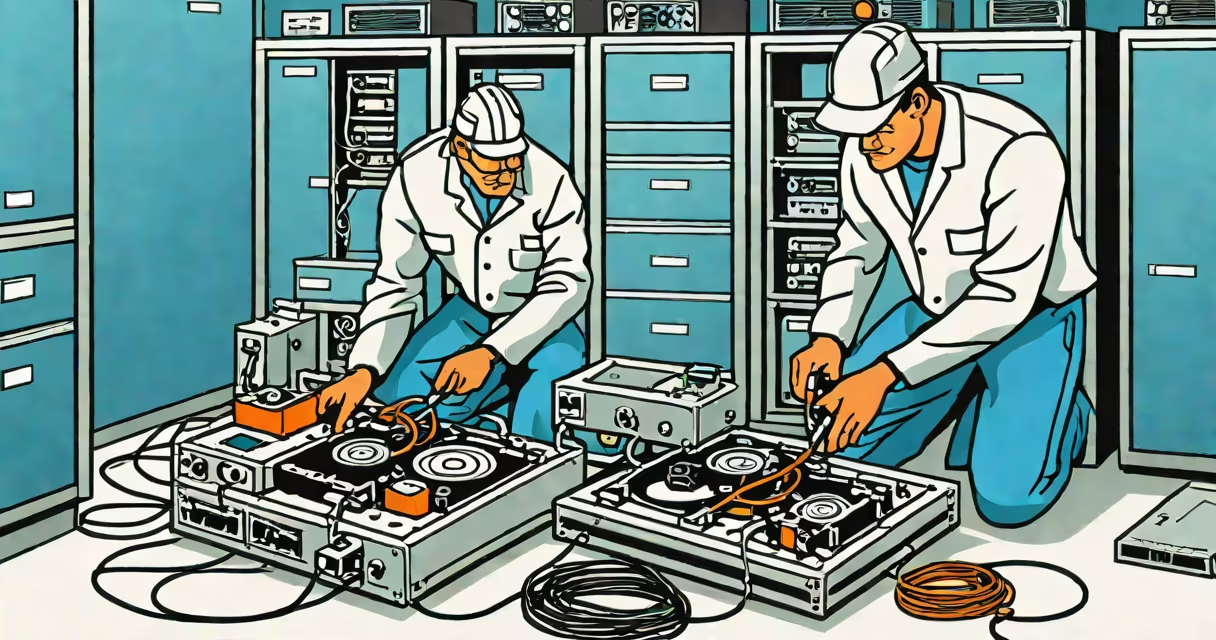
Computer repair data recovery is the process of retrieving lost, deleted, or inaccessible data from storage devices such as hard drives, SSDs, USB drives, or memory cards after system failure, physical damage, or software corruption. It combines technical expertise in hardware diagnostics and software-based file reconstruction to restore information critical to personal, business, or legal use.
Data loss occurs through multiple pathways: accidental deletion, disk formatting, malware attacks, power surges, mechanical wear, or liquid exposure. Computer repair data recovery addresses these issues by identifying the root cause and applying targeted solutions-ranging from software scans to physical component replacement-without further damaging the original media.
According to the National Institute of Standards and Technology (NIST), 60% of small businesses that lose critical data close within six months. This statistic underscores why timely intervention by trained professionals is essential. Recovery success depends heavily on minimizing additional writes to the affected device, which can overwrite remnants of deleted data.
The process begins with a diagnostic assessment of the storage medium. Technicians evaluate whether the issue stems from logical errors (file system corruption) or physical damage (head crashes, motor failure, platter scratches). The distinction determines the next step: software-only recovery or hardware-level intervention.
For logical failures, recovery tools scan the drive's file allocation tables and index structures to rebuild directory hierarchies. Tools like Recuva, PhotoRec, and EaseUS Data Recovery Wizard perform deep scans and identify recoverable files based on signature patterns. These programs work best when the original file system remains intact and no new data has been written since the loss.
Physical failures require specialized environments. A failing hard drive may need to be opened in a Class 100 cleanroom to prevent dust contamination. Components such as read/write heads, spindles, or PCBs may be replaced with donor parts. Once the drive is accessible, imaging software creates a bit-for-bit copy of the raw data stream. This image becomes the basis for recovery operations, preserving the original device for potential future analysis.
Recovery efforts fall into two primary categories: logical and physical. Logical recovery applies to software-related issues, while physical recovery handles hardware malfunctions.
| Type | Common Causes | Recovery Method | Success Rate (Typical) |
|---|---|---|---|
| Logical | Accidental deletion, formatted drive, virus infection | Software scanning, file carving, partition rebuilding | 85-95% |
| Physical | Head crash, motor failure, water damage, dropped drive | Hardware swap, cleanroom disassembly, sector-by-sector imaging | 50-70% |
When a drive shows signs of physical degradation-such as clicking noises or failure to spin-the risk of permanent data loss increases dramatically. In such cases, immediate action is required. Delaying service can lead to irreversible damage during attempted access.
A non-obvious distinction often missed in consumer guides: not all data recovery services offer forensic-grade integrity checks. Reputable providers follow NIST SP 800-88 Rev. 1 standards for sanitization and evidence handling. This ensures recovered data remains admissible in court if needed for legal disputes or compliance audits.
Individuals rely on computer repair data recovery to retrieve family photos, school assignments, financial records, or personal documents. Businesses depend on it to restore customer databases, accounting systems, or project files after ransomware attacks or server crashes.
Law enforcement agencies use advanced computer repair data recovery techniques to extract evidence from seized devices. The FBI's Cyber Division reports that 78% of digital crime investigations involve data recovery from compromised or destroyed storage media. In one case, investigators recovered encrypted messages from a corrupted SSD used in a fraud scheme, leading to a conviction.
IT departments in healthcare, finance, and education sectors implement regular backups alongside recovery protocols. However, even with backups, users occasionally restore outdated versions or fail to verify integrity. In those instances, computer repair data recovery serves as a last resort to recover recent changes.
I once assisted a client who accidentally wiped a 2TB external drive containing five years of video footage from a documentary project. The drive was physically intact but showed no partition table. After imaging the drive in a cleanroom environment, we reconstructed the file system using custom scripts and recovered 94% of the original content. The client later donated the restored footage to a public archive.
Many assume that "data recovery" means simply reinstalling an OS or restoring from cloud backup. That's not accurate. Cloud backups don't replace local recovery when the original device fails completely. Similarly, free recovery tools available online often mislead users into thinking they'll recover everything-even when the drive has physical defects.
Another widespread error: attempting to run recovery software on a failing drive. This can trigger further mechanical stress and accelerate data loss. Experts recommend disconnecting the device immediately and sending it to a certified lab. According to the Storage Networking Industry Association (SNIA), 40% of DIY recovery attempts result in irreversible damage due to improper handling.
Some confuse computer repair data recovery with data erasure. While both involve interaction with storage media, their goals oppose each other. Erasure permanently deletes data using secure overwrite methods (like DoD 5220.22-M). Recovery seeks to reverse deletion. Using the wrong method risks either exposing sensitive information or losing irreplaceable content.
Computer repair data recovery is not a guaranteed outcome. Success depends on the condition of the storage medium, the time elapsed since data loss, and the skill level of the technician. However, when performed correctly, it remains one of the most effective ways to reclaim valuable digital assets.