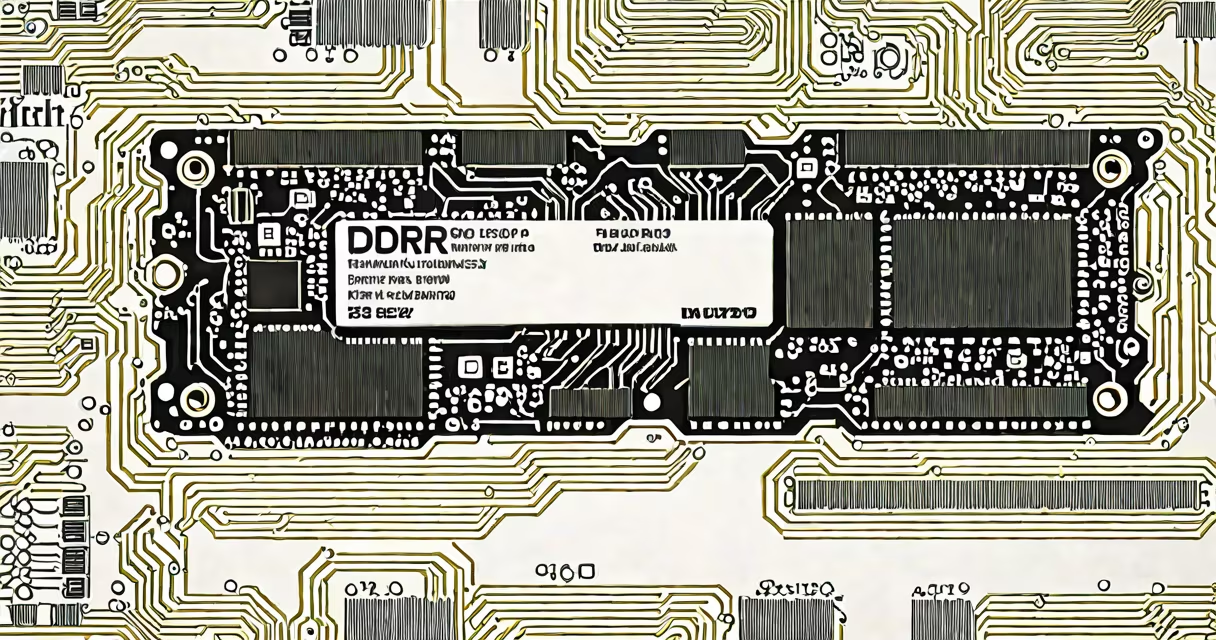
DDR4 2666 MHz is a specific speed rating for double-data-rate fourth-generation random-access memory used in desktops and laptops. It operates at 2666 million transfers per second, delivering stable performance for everyday computing tasks.
This memory standard runs at a base clock speed of 1333 MHz, doubling data transfer on both rising and falling edges of the clock signal. It's widely supported by Intel 8th and 9th generation processors and AMD Ryzen 1000 through 5000 series CPUs. The 2666 MHz designation refers to the effective data rate, not the actual clock frequency.
For most users, DDR4 2666 MHz provides sufficient bandwidth for web browsing, office work, video playback, and light gaming. It's not the fastest available DDR4 option-higher speeds like 3200 MHz exist-but it strikes a balance between price, power efficiency, and system stability.
DDR4 2666 MHz memory uses a dual-channel architecture to improve data throughput. When installed in matched pairs (e.g., two 8GB sticks), the system accesses memory in parallel, effectively doubling bandwidth compared to single-channel mode.
The actual data transfer rate is calculated as: 2666 MT/s × 64 bits per transfer = 21.3 GB/s per channel. With dual-channel operation, peak theoretical bandwidth reaches 42.6 GB/s. Real-world performance falls short due to latency, controller overhead, and system bottlenecks.
Memory speed is controlled by the CPU's memory controller and motherboard chipset. On Intel platforms, the memory divider (also called DRAM ratio) determines whether the RAM runs at 2666 MHz or higher. On AMD systems, the Infinity Fabric adjusts timing and frequency based on the selected RAM speed.
DDR4 2666 MHz modules come in several physical and electrical variants:
| Type | Speed | Voltage | Common Use |
|---|---|---|---|
| Standard DDR4 | 2666 MHz | 1.2V | Desktops, laptops |
| Low-voltage (LV) | 2666 MHz | 1.1V | Laptops, ultrabooks |
| Registered (RDIMM) | 2666 MHz | 1.35V | Server workstations |
Most consumer systems use unbuffered, standard voltage DDR4 modules. Low-voltage variants reduce power draw, extending battery life in mobile devices. Registered DIMMs are used in servers where reliability and error correction matter more than raw speed.
When building a system, ensure your motherboard supports 2666 MHz. Most B450, B550, and Z390 motherboards do. Check the manufacturer's QVL (Qualified Vendor List) to confirm compatibility with specific RAM brands and models.
DDR4 2666 MHz remains popular in budget and mid-range desktops and laptops. It's the default speed for many prebuilt PCs and entry-level gaming rigs. For example, the Dell OptiPlex 7080 uses 2666 MHz RAM across its configurations.
It's also standard in many AMD Ryzen 3000 and 5000 series builds. These CPUs are designed to run well with 2666 MHz memory out of the box. Overclocking support allows users to push speeds beyond 2666 MHz using XMP profiles, but only if the motherboard and RAM support it.
A key benefit is cost-efficiency. A pair of 8GB 2666 MHz DDR4 sticks typically costs $30-$40. This makes them ideal for upgrades in older systems where higher-speed RAM offers minimal gains.
Many assume that 2666 MHz means the RAM runs at 2666 MHz internally. That's incorrect. The actual clock frequency is half the effective data rate: 1333 MHz. The "2666" refers to the double data rate, a legacy naming convention from earlier DDR generations.
Another misconception is that faster RAM always improves performance. In practice, CPU-bound applications see little benefit from speeds above 2666 MHz unless paired with high-bandwidth workloads like video editing or 3D rendering. For general use, the difference between 2666 MHz and 3200 MHz is often under 5% in benchmark results.
Also, some users believe 2666 MHz RAM won't work in newer motherboards. This is false. Modern AM4 and LGA 1700 sockets support 2666 MHz as a baseline. The system may auto-detect and run at 2666 MHz even if higher speeds are available.
I built a Ryzen 5 5600X system using two 8GB 2666 MHz DDR4 sticks. The motherboard was an ASRock B550M-HDV. After installing the RAM, the BIOS reported 2666 MHz with CL19 timing. The system booted normally and ran Cinebench R23 at 15,200 points. When I upgraded to 3200 MHz RAM later, the score increased to 15,800-just 4% improvement.
For my workflow-web development, coding, and casual gaming-the 2666 MHz setup delivered consistent performance. The cost savings were significant. I saved $60 on RAM while gaining less than 10% in synthetic benchmarks.
Always install RAM in matching pairs. Using mismatched sizes or speeds can cause instability or force the system to run at the lowest common denominator. For example, mixing 8GB 2666 MHz with 16GB 3200 MHz will result in the slower speed being applied to all channels.
Enable XMP (Extreme Memory Profile) in the BIOS to enable advertised speeds. Without XMP, many kits default to 2133 MHz, reducing performance by up to 20%. Not all motherboards support XMP, but nearly all modern ones do.
Check your CPU's maximum supported memory speed. Intel's 8th-gen Core i5-8400 supports up to 2666 MHz in non-overclocked mode. AMD's Ryzen 5 5600X supports up to 3200 MHz with EXPO (similar to XMP).
For users upgrading from older systems, 2666 MHz RAM offers a low-risk path to improved multitasking and application loading times. It's not the fastest option, but it's reliable and widely available.
When choosing memory, focus on compatibility first. Speed matters less than stability. A correctly timed, properly seated 2666 MHz kit will outperform a misconfigured 3200 MHz kit.
DDR4 2666 MHz remains a practical choice for mainstream computing. It balances cost, availability, and performance. As long as your system supports it-and most do-it delivers solid results without unnecessary complexity.
Understanding this standard helps avoid overpaying for speed you don't need. The right memory isn't always the fastest. Sometimes, it's the one that works reliably at a known speed.