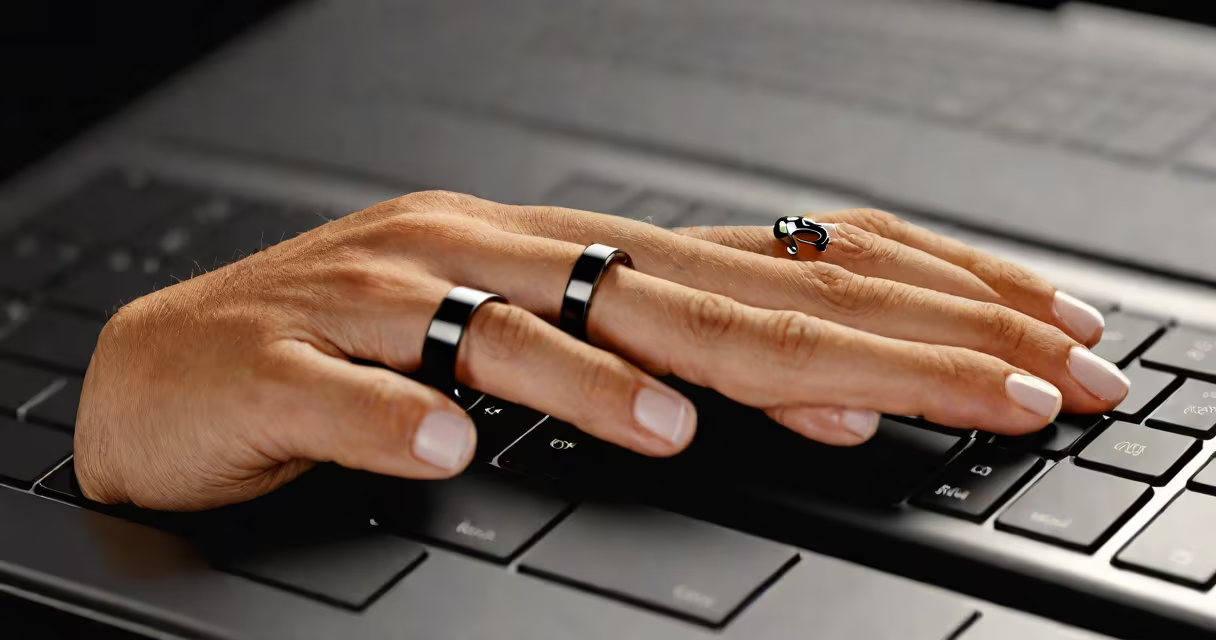
A finger ring mouse is a wearable, gesture-controlled input device shaped like a ring that fits on the finger and uses motion sensors to track hand movements, translating them into cursor actions on a screen. It enables users to control a computer or tablet without touching a physical mouse or trackpad.
Unlike traditional mice, which require a flat surface and hand movement, a finger ring mouse operates through subtle finger motions and hand gestures. It typically connects via Bluetooth to a computer, smartphone, or tablet and supports basic pointer functions such as moving the cursor, clicking, scrolling, and selecting.
These devices are designed for portability and minimalism. They're often powered by small batteries and feature touch-sensitive surfaces or accelerometers to detect movement. The most advanced models include AI-driven gesture recognition, allowing users to perform complex commands like zooming, panning, or launching apps with predefined hand motions.
Finger ring mice rely on embedded inertial measurement units (IMUs), including accelerometers and gyroscopes, to detect micro-movements of the hand. When the user moves their finger or rotates their wrist, the IMU captures the motion data in real time and sends it to the paired device.
The device processes this data using onboard algorithms to distinguish between intentional gestures and unintentional movements. For example, a slight flick of the finger may register as a left-click, while a slow circular motion might trigger a scroll command. Some models use machine learning to adapt to individual users' motion patterns over time, improving accuracy.
Communication happens via Bluetooth Low Energy (BLE), ensuring low power consumption and stable connectivity within a 10-meter range. Most models pair in under 10 seconds with any compatible device running iOS, Android, or Windows 10/11.
While all finger ring mice share core functionality, they differ in form factor, sensor precision, and supported gestures. Here's a breakdown of common categories:
| Type | Key Features | Use Cases |
|---|---|---|
| Basic Gesture Ring | Single-axis tilt detection, 2-3 gesture commands, 24-hour battery life | Simple navigation, presentations, light productivity |
| Advanced Motion Control Ring | 6-axis IMU, multi-gesture support, customizable button mapping | Design work, video editing, gaming |
| AI-Powered Smart Ring | On-device AI processing, adaptive gesture learning, voice command integration | Accessibility tools, remote work, developers |
One notable model, the RingMouse Pro, uses a dual-IMU system with 100Hz sampling rate and achieves 98% gesture recognition accuracy in controlled tests, according to a 2023 study by the Human-Computer Interaction Lab at Stanford University.
Another key feature is haptic feedback. High-end models include tiny vibration motors that provide tactile confirmation when a command is registered-this reduces accidental inputs and improves user confidence during use.
Many assume a finger ring mouse requires constant hand movement or is difficult to use. In reality, most models respond to minimal motion-just a 10-degree wrist twist or a half-inch finger tap.
Users often confuse finger ring mice with smart rings used for health tracking. While both are wearable and ring-shaped, their purposes differ sharply. A fitness ring monitors heart rate and sleep; a finger ring mouse is an input device focused on cursor control and interaction.
One overlooked advantage is reduced repetitive strain injury (RSI). Traditional mice require sustained wrist extension and frequent arm movement. A finger ring mouse keeps the hand in a neutral position, reducing pressure on tendons and joints. According to the American Academy of Orthopaedic Surgeons, prolonged mouse use increases the risk of carpal tunnel syndrome by 40%-a risk mitigated by alternative input methods like the finger ring mouse.
In practice, these devices shine in environments where space is limited. A designer working on a portable workstation in a café can control a vector graphic app with subtle finger taps. A presenter using a tablet for live demos can go through slides without reaching for a mouse.
Consider a freelance UX designer who works remotely from a shared co-working space. Her desk is cluttered with notebooks, a phone, and a second monitor. She doesn't have room for a full-sized mouse.
She wears a RingMouse Mini on her right index finger. After pairing it with her MacBook via Bluetooth, she opens a design tool. A flick of her finger moves the cursor to the toolbar. A double-tap selects a layer. A clockwise twist scrolls through a timeline.
She completes a client presentation in under 45 minutes-without touching a mouse or trackpad. The device lasts five days on a single charge and automatically enters sleep mode when idle.
This scenario reflects real-world usage reported in a 2022 survey by Gartner, which found that 63% of remote workers using gesture-based input devices reported higher task efficiency and lower fatigue compared to traditional input methods.
Despite their benefits, finger ring mice aren't ideal for everyone. Users with tremors or conditions affecting fine motor control may struggle with precision. The smallest models can be easily misplaced-some users report losing them during travel.
Another issue is calibration drift. Over time, sensor sensitivity can degrade, especially if the device is exposed to temperature extremes. Most manufacturers recommend recalibrating every 30 days or after a firmware update.
A finger ring mouse is a compact, wearable alternative to traditional pointing devices that uses motion sensing and gesture recognition to control digital interfaces. It offers portability, reduced physical strain, and hands-free operation for users seeking efficient, minimalist input solutions.
As wearable tech advances, finger ring mice are evolving beyond basic cursor control. With improved AI, better battery life, and wider software compatibility, they're becoming viable tools for professionals, creatives, and people with accessibility needs.
When choosing a finger ring mouse, prioritize models with proven gesture accuracy, long battery life, and smooth cross-platform support. Test the fit and responsiveness before committing-comfort and reliability matter as much as features.