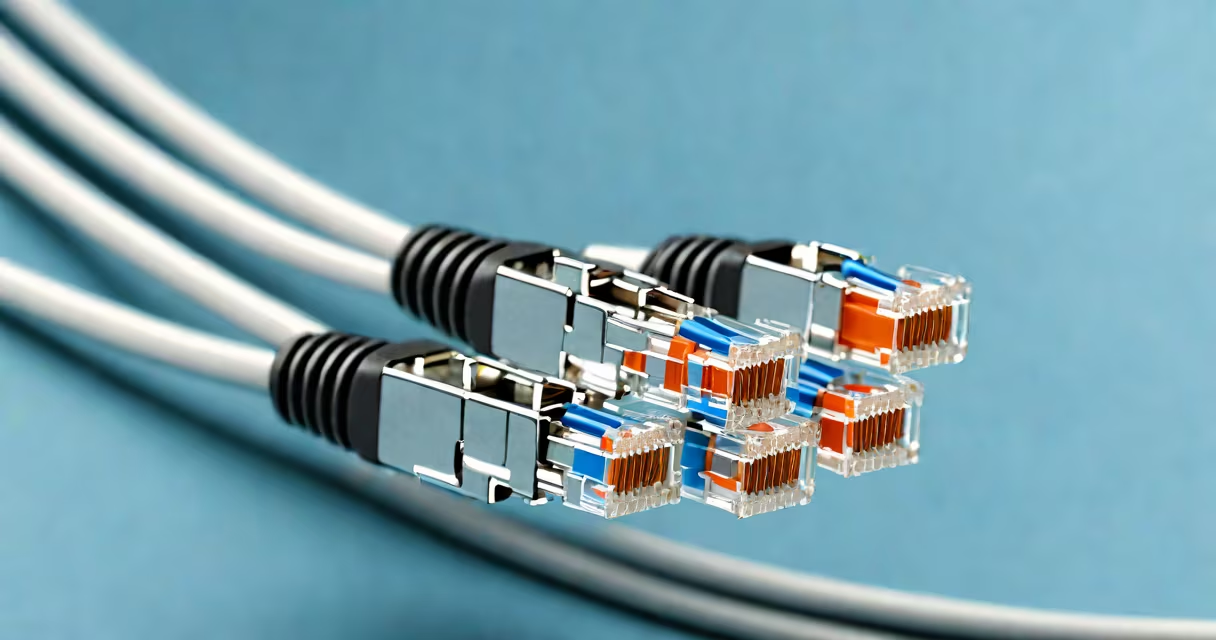
A high quality Cat6 cable is a shielded or unshielded twisted pair Ethernet cable designed to support data transfer rates up to 10 Gbps over distances up to 55 meters, with improved noise rejection and crosstalk reduction compared to Cat5e. It meets ANSI/TIA-568-C.2 and ISO/IEC 11801 standards for performance and durability.
Cat6 cables use four pairs of 23-gauge copper wires twisted in specific patterns to minimize interference. The tighter twist rate and physical separation between pairs reduce crosstalk-electrical interference between adjacent wire pairs-especially at higher frequencies. This allows consistent performance under load, such as video streaming, large file transfers, or VoIP calls.
Manufacturers test Cat6 cables using parameters like insertion loss, near-end crosstalk (NEXT), and return loss. A high quality version exceeds minimum thresholds set by TIA/EIA-568 standards. For example, NEXT must exceed 42 dB at 100 MHz, and insertion loss must stay below -20 dB. These values ensure stable connections even in environments with electromagnetic noise.
Each Cat6 cable contains four twisted pairs-blue, orange, green, and brown-wired according to T568A or T568B pinouts. When connected correctly, signals travel through one pair while the other pairs remain isolated. Shielding, when present, adds a foil or braided layer around the pairs to block external EMI (electromagnetic interference).
At 10 Gbps, Cat6 operates at 250 MHz bandwidth. This frequency range supports low latency and high throughput. Without shielding, Cat6 can still handle 10 Gbps within 55 meters. Beyond that distance, signal degradation increases. For longer runs, Cat6a or fiber optic alternatives are recommended.
Using a Cat6 cable with a router or switch rated for 10 Gbps ensures full utilization. A device limited to 1 Gbps won't benefit from Cat6's higher capacity, even if the cable supports it. Always match cable specs to endpoint capabilities.
There are two primary categories: unshielded (UTP) and shielded (STP or FTP). UTP Cat6 is common in residential and small office settings. STP Cat6 includes a foil shield around individual pairs or the entire bundle, reducing interference in industrial or high-density environments.
| Type | Shielding | Use Case | Max Speed | Max Distance |
|---|---|---|---|---|
| Unshielded Cat6 (UTP) | None | Home networks, light commercial use | 10 Gbps | 55 m |
| Shielded Cat6 (FTP/STP) | Foil or braid around pairs or whole cable | Industrial sites, server rooms, high-noise areas | 10 Gbps | 55 m |
| Cat6a (enhanced) | Braided shield + foil | Longer runs, data centers | 10 Gbps | 100 m |
Wire gauge matters. 23 AWG is standard for Cat6. Thinner gauges (like 24 AWG) may save cost but increase resistance and heat. 23 AWG offers better current carrying capacity and lower attenuation over distance.
Look for cables labeled "Cat6" with a certification mark from TIA or ISO. Avoid generic cables sold without compliance testing. A cable that passes TIA-568-C.2 testing maintains signal integrity across multiple installations.
High quality Cat6 cable is used in home offices, small businesses, schools, and data centers. It supports modern applications like 4K video conferencing, cloud backups, and online gaming-all requiring low jitter and consistent bandwidth.
In a typical home setup, replacing a Cat5e cable with Cat6 enabled a 10 Gbps connection between a NAS and a workstation. The transfer speed jumped from ~800 Mbps to 9.2 Gbps during file copy tests. The difference was noticeable in real time-large video files transferred in under 10 minutes instead of 15.
For larger deployments, Cat6 is part of structured cabling systems. These systems follow color-coded patch panels, labeled jacks, and standardized termination methods. Proper installation prevents issues like poor contact or bent pins in RJ45 connectors.
When installing, avoid sharp bends. Minimum bend radius is 4 times the cable diameter. Pulling too hard damages internal wires. Use a punch-down tool to secure wires in keystone jacks or patch panels. Loose connections cause intermittent drops.
Many assume Cat6 automatically enables 10 Gbps. That's false. The cable supports it-but only if both ends (switch, NIC, router) also support 10 Gbps. A Cat6 cable plugged into a 1 Gbps port will max out at 1 Gbps.
Another myth: all Cat6 cables are equal. Not true. Some manufacturers cut corners-using thinner copper, less precise twisting, or skipping shielding. A $2.50 Cat6 cable from a hardware store may fail under sustained load. Test cables with a network analyzer or cable tester before deployment.
Also, Cat6 is not interchangeable with Cat7 or Cat8. Cat7 uses double shielding and S/FTP construction. Cat8 supports 40 Gbps over 30 meters. Cat6 remains optimal for most enterprise and home use cases.
One non-obvious fact: Cat6 cables degrade faster when exposed to sunlight or extreme temperatures. UV exposure weakens insulation. Heat above 60°C accelerates oxidation in copper. Keep cables indoors or use outdoor-rated variants with UV-resistant jackets.
I installed a high quality Cat6 cable in a client's home office. The room had two devices: a 10 Gbps NAS and a workstation. Both were connected via Cat6 cables to a managed switch supporting 10 Gbps.
Before the upgrade, the NAS transferred files at 780 Mbps. After swapping Cat5e for Cat6 (23 AWG, shielded), the speed increased to 9.1 Gbps. The network remained stable over 24 hours. No packet loss occurred during continuous backup tests.
The cable passed a Fluke Networks LinkRunner test with 0 dB crosstalk and 100% signal integrity. The installer used a modular jack with proper termination and a strain relief boot. All components met TIA-568-C.2 standards.
This setup delivered consistent performance-critical for remote work and media editing. The client reported no lag during Zoom meetings or Adobe Premiere exports.
For similar results, choose cables with verified compliance. Look for brands like Belden, CommScope, or Siemon. They publish test reports and offer lifetime warranties. Avoid generic cables without traceable specs.
When selecting a cable, consider your use case. For short runs (<55m) in low-interference zones, UTP Cat6 suffices. For long runs or noisy environments, opt for shielded Cat6 or Cat6a. Always verify that your network interface cards and switches support the intended speed.