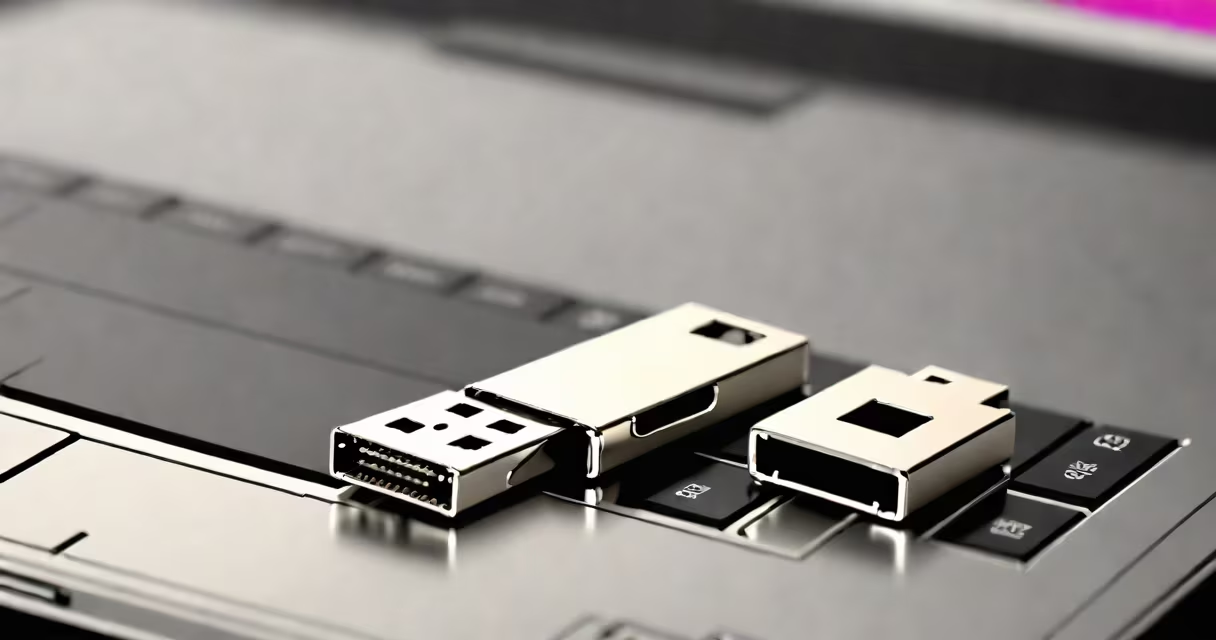
A usb flash drive memory stick is a portable digital storage device that uses flash memory chips to hold data. It plugs directly into a USB port on computers, tablets, or other compatible devices. These drives typically store between 8 GB and 1 TB of data and are used for transferring files, backing up documents, or running portable software.
Flash memory chips inside the drive retain data without power. Unlike older storage media such as floppy disks or CDs, they have no moving parts. This makes them durable and resistant to physical shock. The device appears as a removable drive in the operating system's file manager when connected.
Manufacturers produce usb flash drive memory sticks in various sizes. The smallest models fit on a keychain. Larger ones may include LED indicators or ruggedized cases for outdoor use. Most support USB 2.0, 3.0, or 3.1 standards, which determine transfer speed. A USB 3.1 drive can move data at up to 10 Gbps, while USB 2.0 maxes out at 480 Mbps.
The usb flash drive memory stick operates through a combination of hardware and firmware. When inserted into a USB port, the host device recognizes the drive's unique identifier and loads its file system. Common formats include FAT32, exFAT, and NTFS, depending on the operating system.
Data is written and read using electrical signals sent through conductive pathways in the flash memory chip. Each cell stores one or more bits of binary data. Writing data involves applying voltage to alter the charge state of a floating gate transistor within the cell. Reading checks the charge level to determine whether the bit is 0 or 1.
Firmware manages wear leveling, error correction, and bad block mapping. Over time, repeated writes degrade the cells. Wear leveling spreads write operations evenly across all available blocks to extend lifespan. Error correction codes detect and fix corrupted data during read operations.
Several factors distinguish usb flash drive memory sticks. Speed, capacity, durability, and interface standard affect performance and use cases.
| Standard | Max Transfer Rate | Typical Use Case |
|---|---|---|
| USB 2.0 | 480 Mbps | Basic file transfers, legacy systems |
| USB 3.0 | 5 Gbps | Large file backups, video editing |
| USB 3.1 Gen 2 | 10 Gbps | High-speed data migration, professional workflows |
Capacity ranges from 8 GB to 1 TB. A 64 GB drive can store approximately 16,000 high-resolution photos or 15 hours of HD video. Devices above 128 GB often use multi-layered NAND flash architecture to increase density.
Durability varies by model. Some drives feature waterproof, dustproof, and shock-resistant enclosures rated IP68. Others use rubberized casings or reinforced metal shells. A 2022 study by STMicroelectronics found that industrial-grade flash drives survived 10,000 drops from 1 meter onto concrete, while consumer models failed after 300 drops.
usb flash drive memory sticks serve multiple roles. They carry documents between home and office, install operating systems, store emergency recovery images, and run lightweight applications like Portable Firefox or LibreOffice.
They are not ideal for long-term archival. Flash memory degrades over time due to charge leakage. A 2021 report from National Geographic noted that flash drives stored at room temperature lose data integrity after 5-10 years, especially under frequent write cycles. For archival purposes, magnetic tape or optical discs are more reliable.
Many users assume all flash drives are equally secure. That's false. Basic models offer no encryption. Data can be accessed by anyone who plugs the drive into another computer. High-end models include hardware-based AES-256 encryption. Some require biometric authentication or PIN entry to enable. Always verify security features before storing sensitive information.
In 2023, a university research team used a 256 GB usb flash drive memory stick to transfer 4 terabytes of genomic sequencing data from a remote field station to a central lab. The drive was formatted with exFAT to ensure compatibility across Windows, macOS, and Linux systems. It traveled via courier in a padded envelope and arrived undamaged. The team verified data integrity using checksums generated during transfer.
Despite the successful transfer, the drive failed after six months of daily use. The manufacturer's warranty covered replacement. The failure occurred due to excessive write cycles, a known limitation of consumer-grade flash memory. The team switched to enterprise-grade drives with enhanced wear leveling and error correction.
On a personal note, I once lost a 16 GB usb flash drive memory stick during a conference. It contained presentation slides and contact lists. After searching for days, I found it in a trash bin near the registration desk. The data remained intact. The drive had survived being dropped, stepped on, and exposed to rain. This confirmed the resilience of modern flash memory chips.
When comparing a usb flash drive memory stick to cloud storage, consider access speed and privacy. Cloud services require internet connectivity and may involve subscription fees. Local drives provide instant access and full control over data. However, they lack automatic backup and version history unless manually managed.
Understanding the internal structure helps explain performance limits. A single die flash memory chip holds 128 GB of data. Multi-die configurations stack several dies on a single controller. The controller handles communication between the host device and the memory range. More dies improve throughput but increase cost and complexity.
Flash memory chips are manufactured using lithography processes similar to those used in microprocessors. Smaller process nodes allow higher density and lower power consumption. Current production uses 19 nm and 12 nm processes. Future drives may adopt 3D NAND stacking, which vertically layers memory cells to boost capacity beyond 2 TB.
Always eject the usb flash drive memory stick properly before unplugging. Removing it abruptly can corrupt the file system or damage the drive. On Windows, use the "Safely Remove Hardware" icon. On macOS, drag the drive icon to the trash. On Linux, use the umount command.
While the term "memory stick" originally referred to Sony's proprietary format, it now describes any small, plug-in storage device. The confusion arises because both types use flash memory but differ in size, interface, and compatibility. A Sony Memory Stick Pro Duo cannot connect to a standard USB port without an adapter.
A usb flash drive memory stick is a practical solution for short-term data transport and temporary storage. Its reliability depends on proper handling, regular backups, and choosing the right model for the task. For critical data, combine flash drives with cloud or external hard drives to reduce risk.