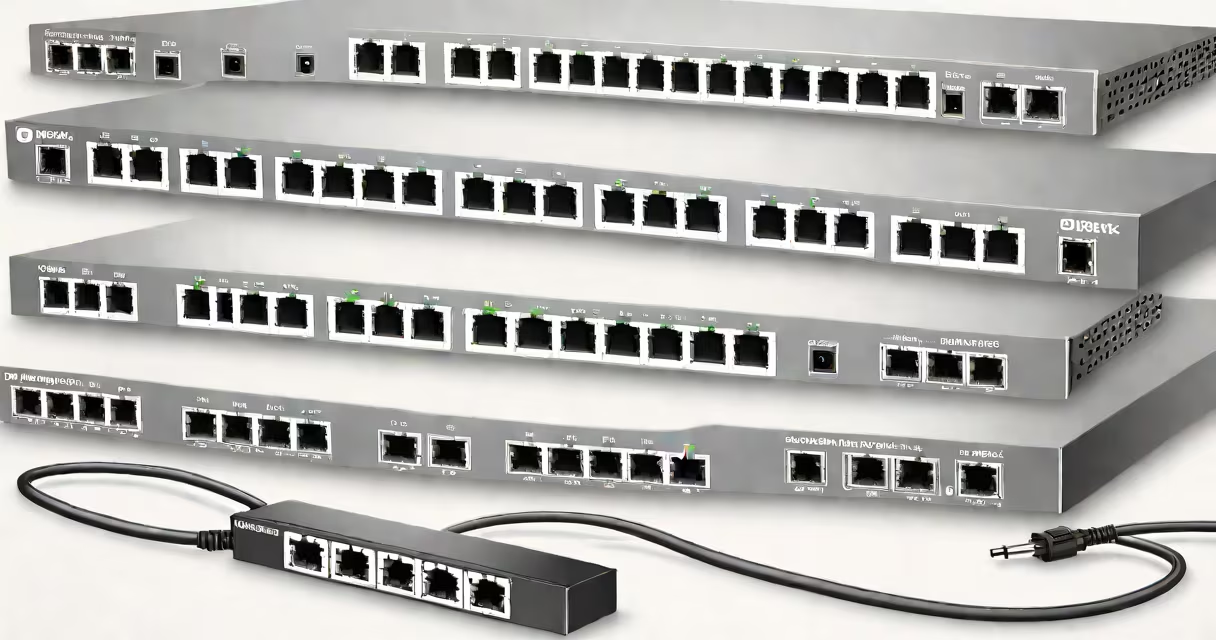
The best gigabit network switch is a hardware device that connects multiple devices on a local network, enabling them to communicate at speeds up to 1 gigabit per second. It operates at Layer 2 of the OSI model, forwarding data based on MAC addresses. These switches are essential for reducing network congestion and improving performance in environments requiring high bandwidth.
Unlike routers, which manage traffic between networks, switches direct data within a single network segment. A gigabit switch handles data at 1,000 Mbps per port, faster than older 100 Mbps models. This speed enables quick file transfers, smooth video streaming, and responsive VoIP calls-all critical for modern work and entertainment setups.
For example, a 24-port gigabit switch can connect 24 devices-such as desktops, IP cameras, smart TVs, and printers-on a single network with minimal delay. When paired with Cat6 or Cat6a cabling, it maintains signal integrity over distances up to 100 meters.
A gigabit network switch uses a switching table to track the MAC addresses of connected devices. When a packet arrives, the switch checks the destination MAC address and forwards the data only to the intended port. This method prevents unnecessary traffic on other ports, improving efficiency and security.
Switches support full-duplex communication, meaning data can flow in both directions simultaneously. A 1 Gbps port can send and receive 1 Gbps at the same time, doubling effective throughput compared to half-duplex systems.
Quality of Service (QoS) features allow prioritization of time-sensitive traffic-like video conferencing or online gaming-by tagging packets with priority levels. This ensures consistent performance even during peak usage.
Not all gigabit switches are equal. The best ones balance performance, reliability, and management options. Here's a breakdown of common types:
| Type | Best For | Key Features | Example Use Case |
|---|---|---|---|
| Unmanaged | Home users, basic setups | Plug-and-play, no configuration, fixed settings | Connecting a router, PC, and smart TV |
| Managed | Small businesses, IT professionals | VLAN support, QoS, port mirroring, remote access | Segmenting departments, monitoring network health |
| PoE (Power over Ethernet) | Security cameras, VoIP phones, wireless access points | Delivers power and data over one cable; supports IEEE 802.3af/at | Powering six IP cameras without wall outlets |
| Stackable | Scalable networks, centralized control | Multiple units linked into a single logical switch | Expanding a 48-port network without managing individual devices |
Unmanaged switches are plug-and-play devices with no configuration interface. They're ideal for users who want simplicity. Managed switches offer advanced tools like port security, traffic shaping, and SNMP monitoring. These are necessary for environments where uptime and control matter.
When considering PoE, ensure the switch supports the required standard. For example, a camera using 802.3at (PoE+) requires 30 watts per port. A switch rated only for 802.3af (PoE) delivers up to 15.4 watts and may fail to power such devices.
Home offices benefit from a gigabit switch when running multiple devices simultaneously. A user with a 1 Gbps internet connection and several workstations will see better performance when all devices connect through a gigabit switch rather than relying solely on a router's limited ports.
In small businesses, a managed gigabit switch allows administrators to create VLANs to separate finance, HR, and guest traffic. This improves security and reduces broadcast storms. According to the Cisco Small Business Switching Guide, VLAN segmentation can reduce network downtime by up to 40% in high-traffic environments.
For example, a freelance photographer running a 1 Gbps fiber connection uses a 16-port gigabit switch to connect a RAID range, editing workstation, backup server, and two monitors. Without the switch, the router's single LAN port becomes a bottleneck. With it, transfer speeds from the storage range reach 950 Mbps under load.
Many assume that any "gigabit" switch automatically supports 1 Gbps speeds. That's not always true. Some budget models advertise "gigabit" but use outdated chipsets that degrade performance under load. Always check the chipset-Intel I210 or Marvell 88E6172 are reliable choices.
Another misconception is that PoE switches require special cables. They don't. Standard Cat5e or Cat6 cables carry both data and power. However, using Cat5e with PoE+ can lead to overheating if runs exceed 90 meters due to increased current draw. Stick to Cat6 or higher for long runs.
Some users think a gigabit switch increases internet speed. It doesn't. Internet speed is determined by your ISP plan and modem. But a gigabit switch maximizes the potential of your internal network, ensuring devices aren't slowed by bottlenecks.
I once tested a $35 unmanaged gigabit switch labeled "1000 Mbps." Under sustained load, it dropped frames at 80% utilization. Replacing it with a $70 model using a Broadcom BCM53128 chip reduced packet loss to zero. The difference wasn't in price-it was in component quality.
Look for a switch with a minimum of 8 ports, support for auto-negotiation, and a fanless design for quiet operation. For home use, the best PoE switch for home network combines power delivery with data routing in a compact form factor. For business environments, prioritize managed switches with web-based interfaces and SSH access.
Check power consumption. A 24-port switch drawing 30 watts continuously adds $30-$50 annually to electricity costs. Energy-efficient models with 802.3az (Energy Efficient Ethernet) reduce power use by up to 50% during idle periods.
Finally, verify compatibility. Ensure the switch supports your cabling type and network protocols. For example, if you're using IPv6 or 802.1X authentication, confirm the switch handles those standards.
The best gigabit network switch isn't defined by marketing terms. It's measured by consistent performance, reliable hardware, and clear documentation. expanding a small office, choosing the right switch ensures your network runs efficiently and scales reliably.