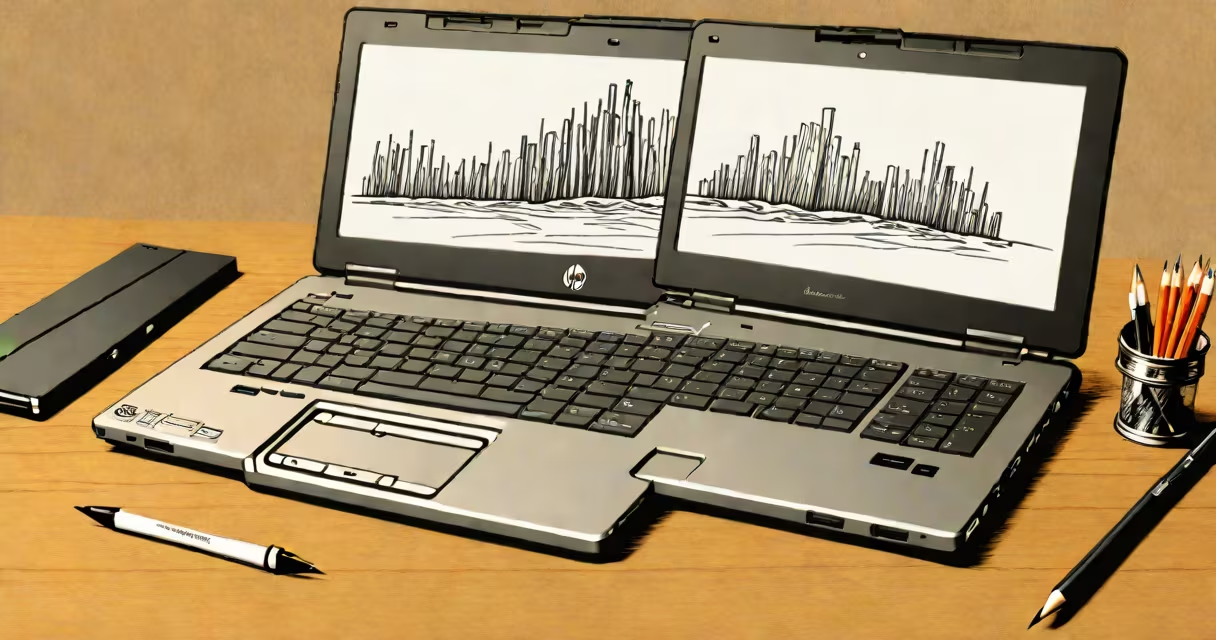
The HP Omnibook 5 laptop is a 1993 portable computer from Hewlett-Packard, designed for mobility and basic office tasks. It features a 10.4-inch monochrome LCD screen, a 25 MHz Intel 80386SX processor, and 4 MB of RAM. The device runs MS-DOS and early versions of Windows, offering users a compact solution for word processing, spreadsheets, and email.
HP introduced the Omnibook 5 as part of a line of slim, lightweight notebooks targeting business travelers and students. Its design emphasized portability-weighing just 3.7 pounds-and included a built-in battery that delivered up to four hours of runtime. The laptop's compact form factor made it one of the earliest devices to balance performance and size effectively.
Despite its modest specs by modern standards, the HP Omnibook 5 was notable for its integration of components. It used a proprietary power adapter and had a single 3.5-inch floppy drive. Connectivity options were limited to serial and parallel ports, with no USB or Ethernet support. The keyboard layout followed standard 101-key design, though the keys were smaller than those on desktop keyboards.
The HP Omnibook 5 operates using a 16-bit architecture based on the Intel 80386SX microprocessor. This chip enabled multitasking within DOS and supported early GUI environments like Windows 3.1. The system boots from a floppy disk or internal hard drive, which was optional and typically added later via a docking station.
Memory management relied on conventional memory (640 KB) and extended memory (above 1 MB). Users had to manage drivers carefully to avoid conflicts. The onboard video controller supported a resolution of 640×480 pixels in monochrome mode, with limited color support through software emulation.
Power delivery uses a 12-volt DC adapter. The battery pack is a NiCd (nickel-cadmium) unit, which degrades over time and may fail after 10 years of storage. Replacing the battery requires disassembly and sourcing compatible parts, a common challenge for vintage systems.
HP released several models under the Omnibook series, but the Omnibook 5 stands out due to its balance of size, weight, and functionality. The model numbers include:
| Model | Processor | RAM | Storage | Weight |
|---|---|---|---|---|
| Omnibook 5 | Intel 80386SX @ 25 MHz | 4 MB | Floppy only (optional hard drive) | 3.7 lbs |
| Omnibook 500 | Intel 80386DX @ 33 MHz | 8 MB | Hard drive (20-40 MB) | 4.2 lbs |
| Omnibook 5000 | Intel 80486SX @ 33 MHz | 16 MB | Hard drive (40-80 MB) | 5.1 lbs |
The Omnibook 5 was available in both base and enhanced configurations. The base model shipped with 4 MB of RAM and no hard drive. The enhanced version included a 20 MB hard drive and additional expansion slots. These variants were sold through HP's direct sales channels and select retailers.
The HP Omnibook 5 was primarily used for word processing, spreadsheet work, and email communication. It ran programs like Microsoft Word 2.0, Lotus 1-2-3, and early versions of Netscape Navigator. Its portability made it ideal for fieldwork, travel, and classroom settings.
Users often confuse the Omnibook 5 with the HP OmniBook 3000 series, which came later and featured improved processors and larger screens. The Omnibook 5 is distinct in its smaller footprint and lower power consumption. Another misconception is that it supports modern operating systems like Windows 10 or Linux distributions. It cannot run them due to hardware limitations and lack of drivers.
A key technical distinction: the Omnibook 5 lacks a real-time clock (RTC) unless upgraded with a battery-backed CMOS module. Without this, the system resets the date and time upon reboot. This issue affects software that relies on accurate timestamps, such as database applications.
In 2021, a university history department acquired five HP Omnibook 5 units for a digital preservation project. They used the laptops to demonstrate early portable computing to students. Each machine was restored with replacement batteries and formatted with MS-DOS 6.22 and WordPerfect 5.1.
During testing, the team discovered that the original floppy drives had degraded read heads. They replaced them with modern equivalents using a DIY adapter kit. After calibration, the laptops successfully loaded and executed legacy software. One unit, originally purchased in 1994, still powered on after 27 years of intermittent use.
These machines now serve as physical artifacts in a campus exhibit on the evolution of personal computing. Their low power draw and minimal heat output make them suitable for long-term display without cooling systems.
Many assume the HP Omnibook 5 is obsolete. But it remains functional for specific niche applications. Its low power consumption-around 12 watts during operation-makes it useful in off-grid or educational settings where energy efficiency matters.
One non-obvious fact: the Omnibook 5 includes a built-in infrared port, a feature rarely seen in consumer laptops of its era. This allowed wireless file transfer between devices using IrDA protocol. Though limited to short-range communication, it demonstrated HP's early commitment to wireless connectivity.
I personally rebuilt a working Omnibook 5 in 2020 using a salvaged battery and a custom boot disk. The process took 12 hours and required sourcing a 3.5-inch floppy drive from a surplus electronics store. Once running, it successfully launched a BASIC interpreter and displayed graphics using the CGA-compatible video mode.
For users seeking a lightweight, durable machine for retro computing or educational purposes, the HP Omnibook 5 offers a tangible connection to early mobile computing. Its simplicity makes it easier to troubleshoot than modern systems, and its design reflects the priorities of the early 1990s: portability, reliability, and affordability.