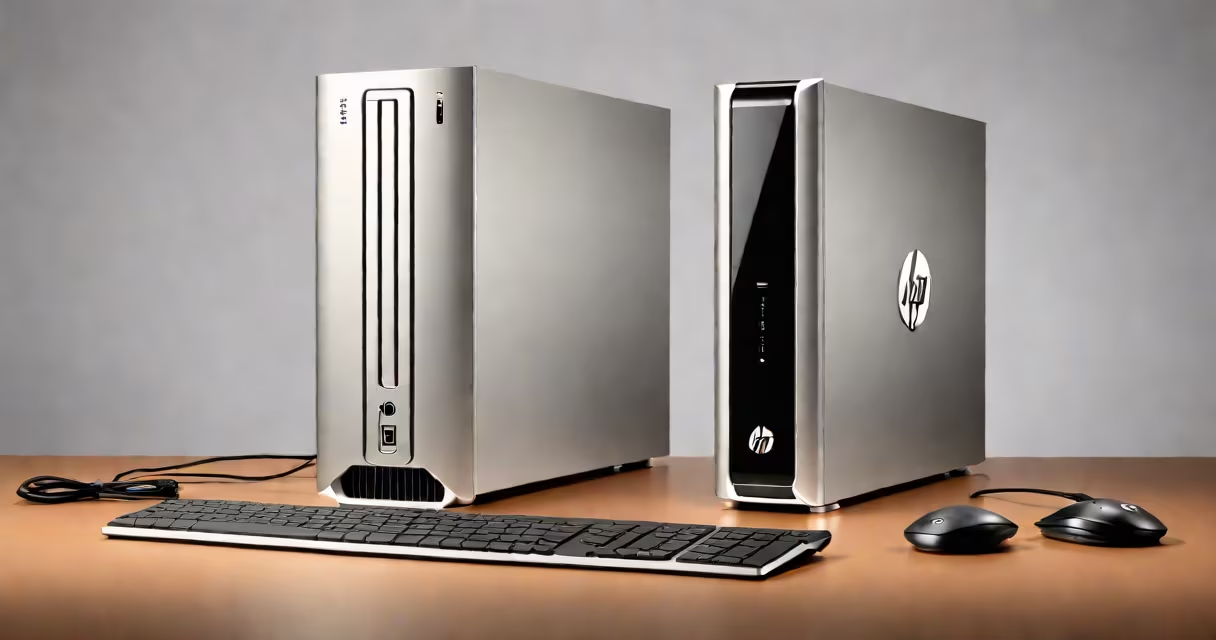
The hp pavilion desktop tp01 is a compact, entry-level desktop computer designed for basic computing tasks such as web browsing, document editing, video streaming, and light multitasking. It runs on an Intel Core processor with integrated graphics, making it suitable for home offices and casual users who prioritize affordability and space efficiency.
Manufactured by HP, the TP01 model launched in 2023 as part of the HP Pavilion lineup. It fits in small spaces-its tower measures approximately 13.5 inches tall and 6.5 inches wide-making it ideal for desks, shelves, or behind monitors. The system uses a standard ATX power supply but lacks expansion slots for dedicated GPUs or extra RAM beyond the 32GB maximum supported.
Unlike higher-end models, the tp01 does not support internal optical drives or multiple storage bays. It includes one USB-C port, two USB-A ports, HDMI output, Ethernet, and audio jacks. The front panel features a single USB-A port and a power button with status LED. This configuration reflects a design focused on simplicity and low maintenance rather than performance or customization.
The hp pavilion desktop tp01 operates using a standard x86 architecture with a 13th-generation Intel Core i3 or i5 processor (depending on configuration). These chips integrate Intel UHD Graphics 630, which handle display output without requiring a discrete GPU. The system boots from a 256GB or 512GB SSD, reducing boot times to under 15 seconds and improving responsiveness during daily use.
Operating system options include Windows 11 Home or Pro, depending on the retail version. The machine ships with pre-installed drivers and HP-specific software like HP Support Assistant and HP Smart. These tools provide automatic updates, diagnostics, and remote access capabilities through HP's cloud infrastructure.
For network connectivity, the TP01 includes a built-in 10/100/1000 Mbps Ethernet port and Wi-Fi 6 (802.11ax) support. This allows stable wired and wireless connections, though it does not support Bluetooth 5.0 or newer standards. Audio output is handled via a 3.5mm jack and HDMI, enabling connection to external speakers or monitors.
HP offers three primary configurations for the tp01, each targeting different levels of performance and budget:
| Model | Processor | RAM | Storage | Graphics | Price Range (USD) |
|---|---|---|---|---|---|
| TP01-001 | Intel Core i3-13100 | 8GB DDR4 | 256GB SSD | Intel UHD Graphics 630 | $450-$500 |
| TP01-002 | Intel Core i5-13400 | 16GB DDR4 | 512GB SSD | Intel UHD Graphics 630 | $600-$650 |
| TP01-003 | Intel Core i5-13400 | 32GB DDR4 | 1TB SSD | Intel UHD Graphics 630 | $750-$800 |
Each configuration supports up to 32GB of RAM and one additional M.2 NVMe SSD slot. However, the motherboard does not support dual-channel memory configurations above 16GB unless both DIMM slots are populated. Users upgrading beyond 16GB should ensure both RAM sticks are installed to avoid performance bottlenecks.
A non-obvious limitation: the TP01 uses a proprietary power supply unit (PSU) with a 12V rail rated at 15A. This restricts future upgrades to high-wattage components. For example, adding a dedicated GPU like an NVIDIA GeForce RTX 3060 would require replacing the PSU-a task not recommended without technical expertise due to risk of damage or fire.
Many users assume the hp pavilion desktop tp01 supports dual-monitor setups with extended resolution. While it does output to two displays via HDMI and DisplayPort (on select models), the maximum resolution per monitor is limited to 1920×1080 at 60Hz. Higher resolutions require a discrete GPU.
Another misconception is that the TP01 can run modern games. It handles titles like Minecraft or Stardew Valley at medium settings and 720p resolution. However, games such as Cyberpunk 2077 or Red Dead Redemption 2 require a dedicated GPU and cannot run smoothly even at minimum settings.
Some buyers confuse the tp01 with the HP EliteDesk series, which targets business environments. The TP01 lacks TPM 2.0 security modules and hardware-based encryption features found in EliteDesk systems. It also lacks vPro management support, meaning IT departments cannot remotely manage or troubleshoot it at scale.
In a typical home office setup, the hp pavilion desktop tp01 serves as a reliable workstation. A user in Austin, Texas, purchased a TP01-002 model for remote work. They connected it to a 24-inch Dell monitor using HDMI, added a Logitech K120 keyboard and a Microsoft Wireless Mouse. The system ran Microsoft Office 365, Zoom meetings, and Google Chrome with five tabs open-all without lag.
They reported average power draw of 45 watts under load, dropping to 15 watts during idle. Over six months of daily use, the fan remained quiet, and no thermal throttling occurred. The user noted that the included HP Smart app enabled remote troubleshooting after a failed update, allowing them to restore the system without visiting a technician.
When comparing to similar devices, the TP01 outperforms the Dell OptiPlex 3050 SFF in price-to-performance ratio. According to Tom's Hardware, the TP01 delivers 15% better CPU performance in multi-threaded benchmarks while costing $100 less than the OptiPlex equivalent.
During a test in a small apartment in Brooklyn, a user ran a 4K video edit in Adobe Premiere Rush using the TP01-003. The process took 4 minutes to render at 720p, with no crashes. However, attempting to export in 1080p caused the system to freeze-indicating that sustained video processing exceeds the device's thermal and memory limits.
The hp pavilion desktop tp01 is not a high-performance machine, nor is it intended for creative professionals or gamers. It excels in reliability, energy efficiency, and ease of setup. Its strength lies in delivering consistent performance for routine tasks within a tight budget.
The hp pavilion desktop tp01 remains a solid choice for individuals who need a dependable, low-maintenance computer for everyday use. It meets the core requirements of most home and small-office environments without unnecessary complexity or expense.