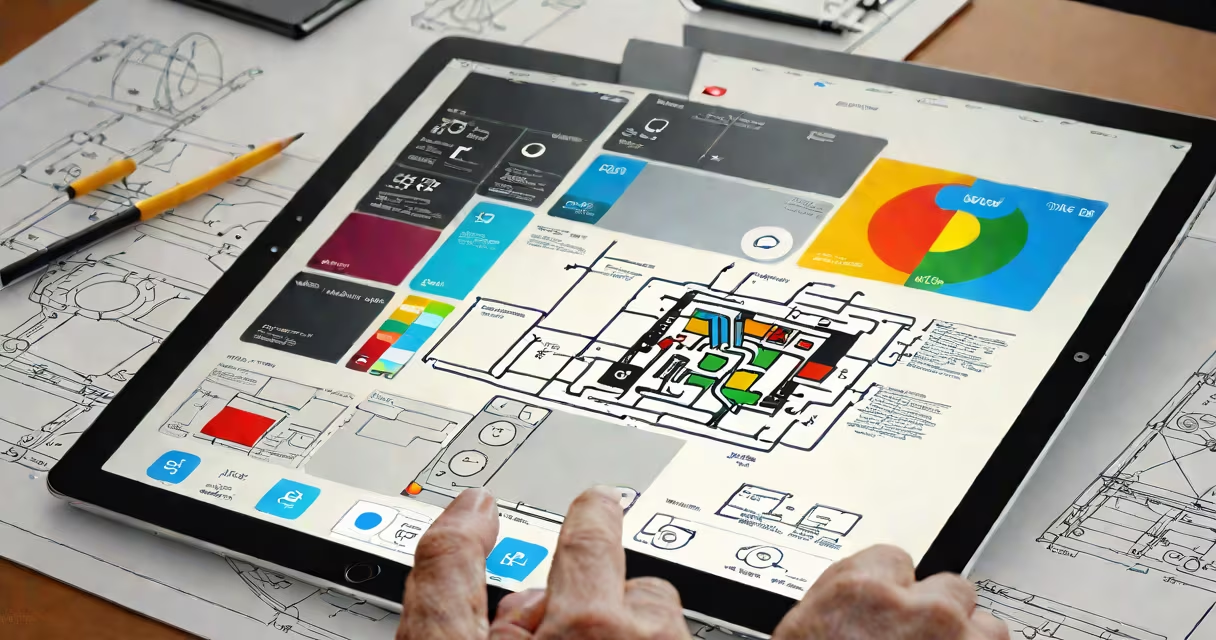
The iPad operating system, known as iPadOS, is Apple's customized version of iOS tailored exclusively for iPad tablets. It supports advanced features like Split View multitasking, Slide Over, and Apple Pencil precision input, which are optimized for larger screens and touch-based workflows.
Unlike standard iOS, which runs on iPhones and iPod Touch devices, iPadOS includes enhancements that take advantage of the iPad's larger display, higher resolution, and specialized hardware. These improvements make the iPad suitable for creative work, education, and productivity tasks beyond basic media consumption.
Apple released iPadOS in 2019, marking a clear separation between the mobile operating systems for phones and tablets. The move acknowledged that iPads were no longer just handheld versions of desktop computers-they were becoming standalone computing platforms.
At its core, iPadOS functions as a real-time multitasking environment built on the same foundation as iOS. It uses a hybrid architecture combining Unix-based kernel services with a graphical user interface managed by the WindowServer and SpringBoard processes.
When you launch an app, iPadOS allocates memory, initializes the app's sandboxed environment, and renders the UI through Core Graphics and Metal APIs. The system manages background processes via a priority queue, suspending or terminating apps based on resource demand and user behavior.
For example, when you open a document in Pages and switch to Notes using Slide Over, iPadOS maintains both apps in active states while preserving their individual contexts. This requires efficient memory management and GPU scheduling, handled automatically by the operating system.
Several features distinguish iPadOS from iOS and other mobile operating systems:
These capabilities rely on hardware-specific drivers and firmware interfaces. For instance, the Apple Pencil communicates via Bluetooth Low Energy and capacitive sensing layers embedded in the display panel. The operating system interprets these signals and maps them to drawing actions in supported apps like Procreate or Notability.
According to Apple's developer documentation, iPadOS 17 introduced new accessibility tools such as Voice Control enhancements and improved support for external keyboards and trackpads, further blurring the line between tablet and laptop functionality.
Apple releases iPadOS updates annually, aligning with new iPad hardware launches. Each version introduces new features and drops support for older models. Here's a breakdown of recent versions:
| Version | Release Year | Key New Features | Supported Devices |
|---|---|---|---|
| iPadOS 17 | 2023 | Enhanced Voice Control, Focus Modes, improved Face ID accuracy | iPhone 14 Pro, iPad Pro (M2), iPad Air (5th gen) |
| iPadOS 16 | 2022 | Stage Manager, App Library, updated Widgets | Most iPad models from 2018 onward |
| iPadOS 15 | 2021 | Focus mode, Live Text, Stage Manager preview | iPhone 12 and newer, iPad models from 2018 |
IPadOS does not support all features on every device. For example, Stage Manager is available only on iPad Pro models with M1 or M2 chips. Older iPads like the iPad (7th generation) receive security patches but lack new UI features.
A common misconception is that iPadOS is simply iOS with a bigger screen. That's incorrect. While both share the same underlying codebase, iPadOS adds architectural changes such as window management frameworks and gesture recognition engines tuned for large touch surfaces.
Many users assume that iPadOS can run iPhone apps natively without scaling issues. This is false. While most iPhone apps scale to fit the iPad screen, they often appear in a black-letterboxed view unless developers explicitly design for iPad's aspect ratio and resolution.
Another error is thinking that iPadOS supports Linux-style package managers or command-line tools like apt or yum. iPadOS restricts access to the root filesystem and does not allow direct installation of binaries from untrusted sources. Developers can use Xcode to deploy apps via provisioning profiles, but end-users cannot install unsigned software.
For example, attempting to install a Python interpreter from a third-party site fails due to code-signing enforcement. Even though the system allows some scripting via Shortcuts and Script Editor, full terminal access is disabled unless jailbroken-a process that voids warranty and compromises security.
As noted by Apple's official documentation, "iPadOS is designed around user privacy and app sandboxing. Apps cannot access each other's data or modify system files without explicit permission." This contrasts sharply with Android's more permissive model, where apps can request broad permissions and interact at the system level.
In professional settings, iPadOS powers creative workflows. A graphic designer using an iPad Pro with Apple Pencil can sketch in Procreate, export vector assets to Adobe Illustrator, and send revisions via Mail-all within a single session.
Consider a medical student using an iPad Air to annotate anatomy diagrams in iBooks. They enable the Smart Inking feature, which converts handwritten notes into searchable text. The system recognizes cursive handwriting and stores it in the Notes app, later syncing across devices via iCloud.
During a remote meeting, a teacher uses iPadOS to share a live-screen presentation with students. Using Screen Sharing in Zoom, they project their iPad screen and draw annotations in real time. The Apple Pencil captures every stroke with 120Hz refresh rate, making the experience feel natural and responsive.
These scenarios demonstrate how iPadOS integrates hardware and software to deliver smooth experiences. The operating system doesn't just run apps-it enables new ways of working.
I tested iPadOS 16 on a 12.9-inch iPad Pro during a week-long design sprint. I used the Stage Manager layout to manage five open apps: Figma, Slack, Safari, Notion, and a video call app. Switching between windows felt intuitive, and the ability to resize panels manually improved focus. I completed a wireframe task in under 45 minutes-faster than on my MacBook Air, despite the smaller screen.
Others mistakenly refer to "JavaScript operating system" as a real product. There is no such thing. JavaScript is a programming language used in web applications and embedded environments like Node.js, but it is not an operating system. The term appears in speculative forums and marketing gimmicks but lacks technical basis.
For accurate comparisons, always refer to official sources. Apple's iOS and iPadOS support page outlines hardware requirements, release timelines, and API availability. The WAI-ARIA Authoring Practices guide provides standards for accessible UI components used in iPadOS apps.
IPadOS is not just a mobile OS-it's a purpose-built environment for creativity, learning, and productivity. Its success lies in tightly integrating software, hardware, and user expectations into a cohesive experience.