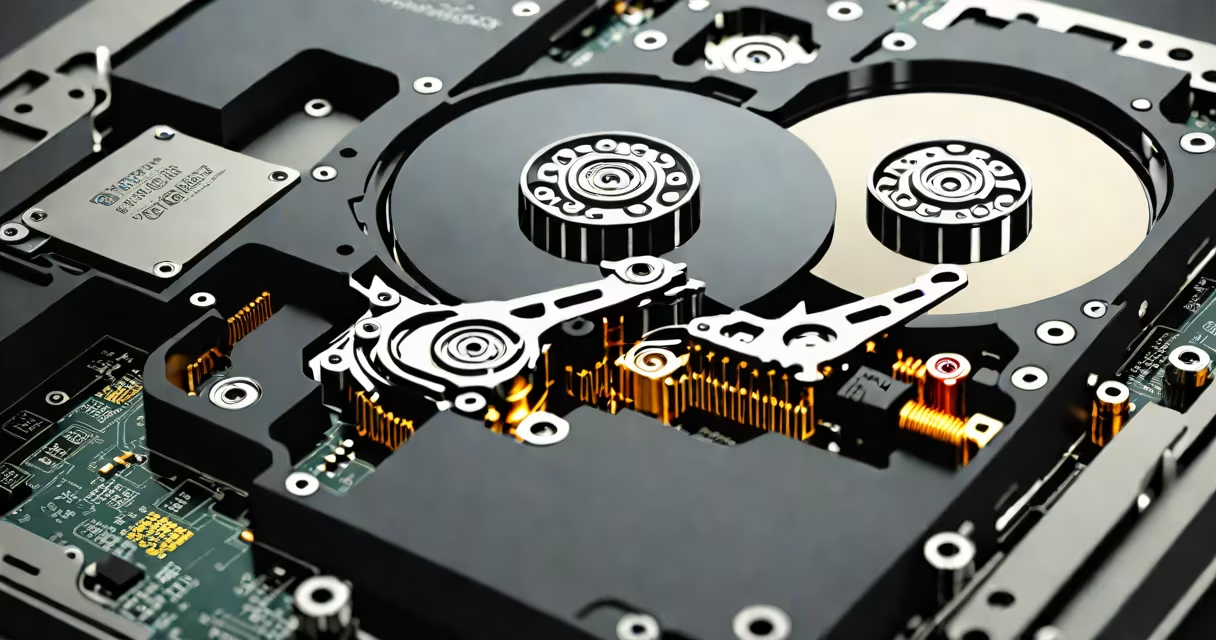
A 2 TB internal hard drive is a storage device that uses spinning magnetic platters and a movable read/write head to store and retrieve digital data. It connects directly to a computer's motherboard via SATA or SAS interface and typically fits inside a desktop PC case.
These drives are designed for long-term data retention and high-capacity storage. They are commonly used in desktop computers, servers, and external backup systems. A 2 TB capacity holds approximately 500,000 photos, 500 hours of HD video, or 2 million standard documents.
Unlike solid-state drives (SSDs), which use flash memory, 2 TB internal hard drives rely on mechanical parts. This makes them slower in access speed but cheaper per gigabyte. The average cost for a 2 TB internal hard drive ranges from $60 to $100, depending on brand and performance tier.
Data is stored on one or more circular platters coated with magnetic material. When the drive powers on, the platters spin at 5,400 to 7,200 RPM. The read/write head floats nanometers above the surface, detecting or altering magnetic polarity to record bits.
The drive controller manages data flow between the computer and the platters. It translates logical addresses (from the operating system) into physical locations on the disk. Modern drives use advanced error correction and wear-leveling algorithms to maintain reliability over time.
For example, a 2 TB hard drive with 7,200 RPM rotation speed can achieve sustained transfer rates of 150-200 MB/s. This is sufficient for most file operations but lags behind SSDs, which routinely exceed 500 MB/s.
Hard drives vary by rotational speed, cache size, and intended use. The following table compares common 2 TB internal hard drive models:
| Model | RPM | Cache | Use Case | Price (USD) |
|---|---|---|---|---|
| Seagate Barracuda 2 TB | 7,200 | 256 MB | General computing, gaming | $75 |
| Western Digital Blue 2 TB | 5,400 | 64 MB | Basic storage, low power | $55 |
| WD Red Pro 2 TB | 7,200 | 64 MB | Network-attached storage (NAS) | $130 |
Higher RPM drives offer faster seek times and better performance under load. WD Red Pro models are engineered for 24/7 operation in NAS environments, with enhanced vibration resistance and error recovery features.
Some drives support Advanced Format (4K sectors), improving efficiency on large files. However, older operating systems may require manual alignment during installation to avoid performance degradation.
Many users assume that all 2 TB internal hard drives perform similarly. This is false. A 5,400 RPM drive in a budget laptop will take longer to boot than a 7,200 RPM model in a desktop, even though both have the same capacity.
Another misconception is that hard drives last indefinitely. According to Backblaze's annual drive failure reports, the average annual failure rate for 2 TB HDDs is 1.8% over five years. That means roughly 1 in 55 drives fails annually. Replacing drives every 4-5 years reduces risk.
I once replaced a 2 TB Western Digital drive in a home server after it began reporting bad sectors. The SMART status showed "Reallocated Sector Count" rising from 0 to 47 over six months. After backup, I ran a full surface scan with chkdsk /f /r and confirmed data loss. The drive failed completely within two weeks. This experience confirmed that relying solely on capacity ignores health indicators.
2 TB internal hard drives remain popular in desktops, media centers, and small business servers. They provide affordable space for large libraries of music, videos, and software installations.
For example, a video editor working with 4K footage can store 120 minutes of raw footage in about 100 GB. A 2 TB drive allows 20 such projects before reaching capacity. This makes it practical for workflow storage, especially when paired with faster SSDs for active projects.
They're also used in backup systems. Many users run dual-drive setups: an SSD for the OS and applications, and a 2 TB HDD for archives. This balances speed and cost effectively.
A 2 TB internal hard drive is not the same as a 2 TB internal SSD. While both hold the same amount of data, SSDs use flash memory with no moving parts. They offer faster boot times, lower latency, and better durability under shock.
For example, a 2 TB internal SSD can boot Windows 11 in under 10 seconds. A 2 TB HDD takes 30-45 seconds. The SSD also consumes less power and generates less heat, making it ideal for laptops and compact systems.
Confusing the two leads to poor performance choices. A 2 TB internal SSD costs about $150-$200, nearly double the price of a comparable HDD. But the performance gain justifies the cost in workstations and creative tools.
Understanding the role of a 2 TB internal hard drive helps you choose the right storage solution. It's not just about capacity-it's about performance, reliability, and use case. Knowing the difference ensures you don't overpay for speed or underinvest in safety.