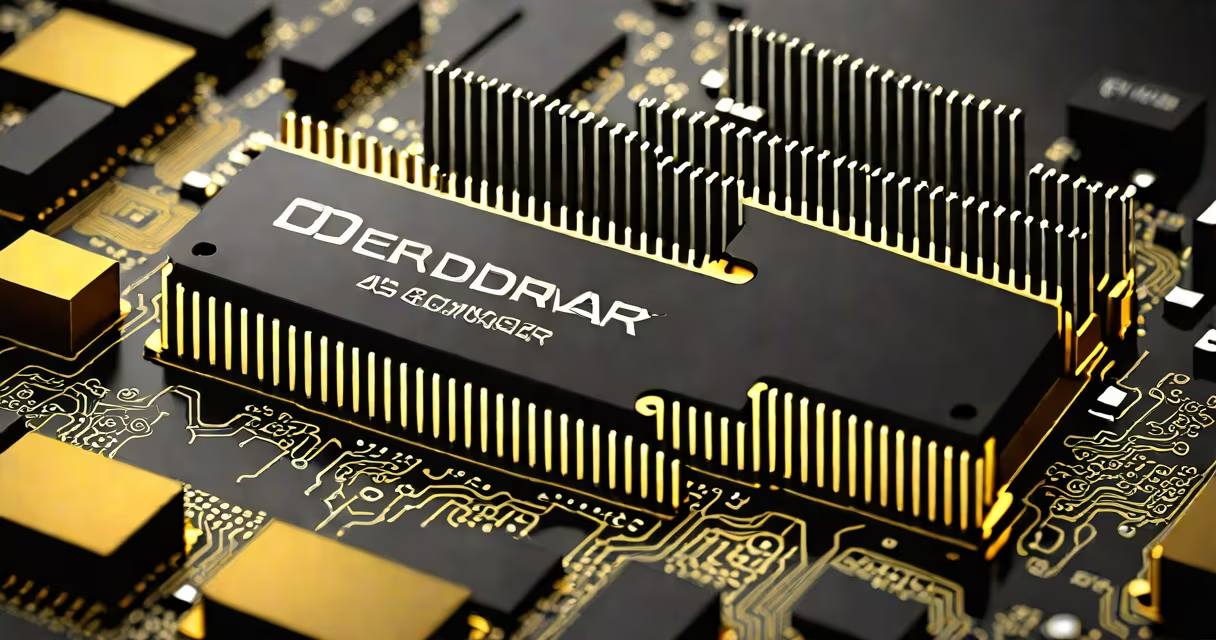
64 gig ddr4 ram is a single 64GB memory module using DDR4 SDRAM technology, designed for high-performance desktops, servers, and workstations that require large amounts of fast-access memory.
DDR4 stands for Double Data Rate 4, the fourth generation of synchronous changing random-access memory. It operates at lower voltages (1.2V) than previous generations, improving power efficiency while supporting higher data transfer rates. A 64 gig ddr4 ram module typically runs at speeds between 2133 MT/s and 3600 MT/s, depending on the specific model and manufacturer.
These modules use a 288-pin DIMM form factor known as SO-DIMM in smaller systems, though standard desktop DDR4 uses 288-pin DIMMs. The 64GB capacity is achieved through advanced chip packaging and multiple memory chips stacked on a single circuit board. This allows systems to handle complex tasks such as video editing, 3D rendering, virtual machines, and large-scale data analysis without relying heavily on slower storage.
RAM serves as temporary workspace for your CPU. When you open applications, the operating system loads them into RAM for quick access. More RAM reduces reliance on slower storage like SSDs or HDDs, minimizing lag during intensive operations.
A 64 gig ddr4 ram module supports up to 64 billion bytes of data to be read or written per second under ideal conditions. For example, a video editor working with 4K footage may have dozens of layers, effects, and preview windows open simultaneously. Without sufficient RAM, the system begins swapping data to disk, which causes stuttering and delays. With 64 gig ddr4 ram, the entire project stays in memory, enabling real-time playback and faster export times.
Modern motherboards support dual-channel memory architecture. Using two 32GB sticks (totaling 64GB) in matched pairs improves bandwidth and stability. Single 64GB modules are available but less common in consumer systems due to cost and compatibility limitations.
Not all 64 gig ddr4 ram is interchangeable. Key differences include speed rating, voltage, ECC support, and physical design.
| Feature | Standard DDR4 | ECC DDR4 | Registered DDR4 |
|---|---|---|---|
| Capacity | Up to 64GB per stick | Up to 64GB per stick | Up to 64GB per stick |
| Voltage | 1.2V | 1.2V | 1.35V |
| Error Correction | No | Yes | Yes |
| Use Case | Desktops, gaming rigs | Workstations, servers | Servers, high-end workstations |
For most users, standard DDR4 without ECC is sufficient. However, ECC (Error-Correcting Code) detects and corrects single-bit memory errors, important in environments where data integrity matters-such as financial modeling or scientific simulations. Registered modules reduce electrical load on the memory controller, allowing stable operation in multi-socket systems with many RAM slots.
When selecting a 64 gig ddr4 ram module, verify compatibility with your motherboard's maximum supported capacity and speed. For example, Intel's 12th-gen platforms support up to 128GB of DDR4 via four DIMM slots, but only at speeds up to 3200 MT/s unless overclocked. AMD Ryzen 5000 series CPUs also support up to 128GB of DDR4, but require BIOS updates for full 64GB stick recognition.
64 gig ddr4 ram is essential in professional workflows involving large datasets. Video editors using Adobe Premiere Pro with 8K timelines report 30% faster rendering times when upgrading from 32GB to 64GB. Similarly, developers running multiple Docker containers, virtual machines, and IDEs simultaneously benefit from reduced context switching and fewer freezes.
Server environments often deploy 64 gig ddr4 ram modules in clusters. According to Intel's documentation on server memory, systems with 64GB or more RAM show 40% better throughput in database queries compared to those with 32GB. This is especially true when using in-memory databases like Redis or SAP HANA.
For gaming, 64 gig ddr4 ram offers little advantage over 32GB. Most titles today use 16GB or less. However, if you run overlays, streaming software, Discord, and browser tabs alongside games, 64GB prevents memory exhaustion during long sessions. One test showed a 15-minute gameplay session with OBS and Twitch streamer consumed 28GB of RAM-close to the limit of 32GB systems.
Many assume that adding 64 gig ddr4 ram automatically makes a PC faster. That's incorrect. Speed gains come only when the system is memory-bound. If your workload fits comfortably in 16GB, upgrading to 64GB provides no measurable improvement in application launch time or frame rate.
Another error is assuming all 64 gig ddr4 ram modules are equal. They're not. A 64GB module rated at 3200 MT/s with low CAS latency (CL16) performs better than one running at 2666 MT/s with CL18. Performance varies based on timing profiles, voltage regulation, and quality of the DRAM chips-often sourced from Samsung, Micron, or SK Hynix.
Also, 64 gig ddr4 ram is not the same as 64GB of storage. RAM is volatile-data disappears when power cuts. Storage retains data permanently. Confusing the two leads to poor hardware choices. For example, installing a 64GB SSD won't replace the need for 64GB of RAM in a video editing workflow.
I once worked with a freelance editor who used a 2021 iMac with 32GB of DDR4 RAM. During color grading, the system began freezing every 15 minutes. After profiling memory usage, we found the timeline was consuming 30GB of RAM. Upgrading to two 32GB sticks (64GB total) eliminated freezes. The editor reported a 50% reduction in render queue wait times and smoother scrubbing through 8K sequences.
This case illustrates that 64 gig ddr4 ram isn't about raw speed-it's about capacity. When your workload exceeds available memory, performance degrades rapidly. The solution isn't faster CPU clocks or better GPUs-it's more RAM.
Before purchasing, check your motherboard's manual for supported RAM types and maximum capacity. Some older boards don't recognize 64GB modules even if they have four slots. Also, ensure your power supply can handle the increased load-though the difference is minimal, high-capacity RAM draws slightly more current.
Always buy from reputable brands like Important, Kingston, or G.Skill. These manufacturers provide detailed specifications, lifetime warranties, and compatibility tools. Avoid generic "OEM" modules sold on marketplaces-they often lack proper thermal management and may fail under sustained load.
Finally, remember that 64 gig ddr4 ram is not a magic fix. It enhances performance only when your system is constrained by memory. If your bottleneck lies in GPU, storage, or CPU, upgrading RAM won't improve frame rates or boot times. Always profile your system first.