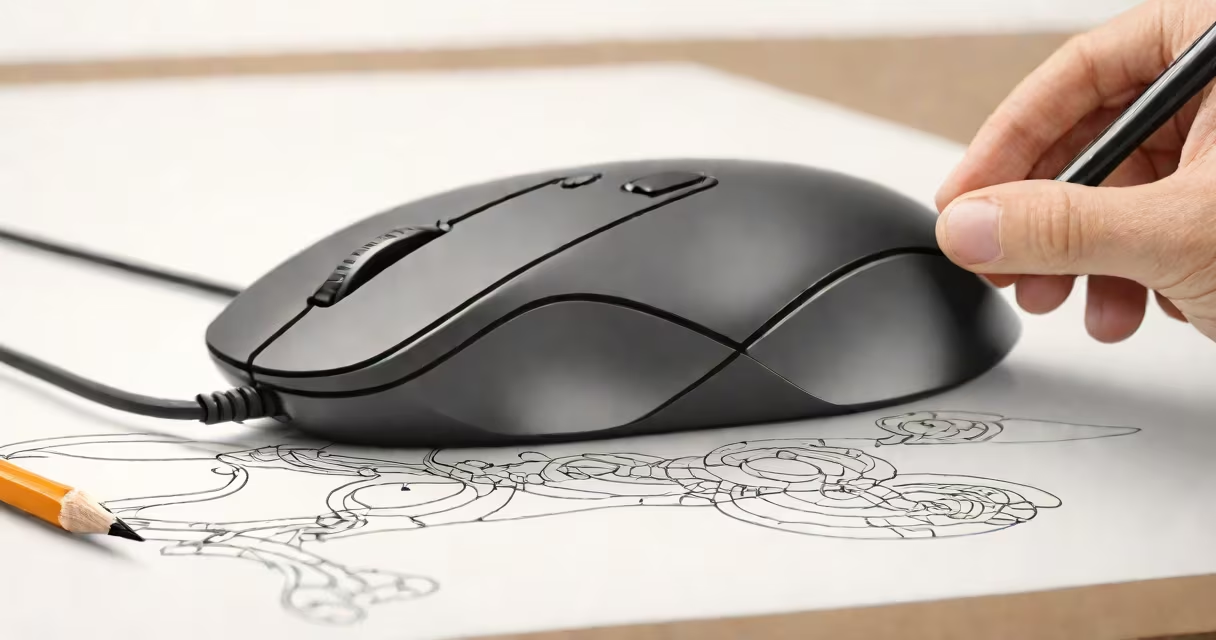
An ergonomic mouse with wrist support is a computer input device designed to reduce strain on the hand, wrist, and forearm by promoting a neutral, natural hand position during extended use. It features a contoured shape and a built-in or integrated wrist rest that supports the underside of the wrist, minimizing pressure on nerves and tendons.
This design addresses common issues caused by traditional flat mice, which force the hand into a pronated position-fingers curled, palm downward-leading to discomfort and long-term injury risk. The ergonomic mouse with wrist support keeps the hand aligned with the forearm, reducing tension in the median nerve and decreasing the likelihood of carpal tunnel syndrome.
According to the American Academy of Orthopaedic Surgeons, repetitive strain injuries affect nearly 30% of office workers who spend more than four hours daily using a computer mouse. A properly designed ergonomic mouse with wrist support can lower this risk by improving biomechanical alignment during use.
The core principle behind an ergonomic mouse with wrist support is neutral hand positioning. Instead of requiring the user to grip the mouse tightly or twist the wrist, the device sits at a slight angle-typically between 15° and 20°-to match the natural angle of the forearm. This alignment reduces muscle activation in the upper limb and prevents excessive flexion or extension of the wrist.
Wrist support is either molded into the mouse's base or added as a separate component. Integrated supports are typically made from soft, cushioned materials such as memory foam or rubberized polymer. They contour to the shape of the wrist, distributing pressure evenly rather than concentrating it on the ulnar side (the "pinkie" side of the wrist).
A 2021 study published in *Applied Ergonomics* found that participants using an ergonomic mouse with wrist support reported 42% less perceived fatigue after two hours of continuous use compared to those using standard mice. The study measured electromyography (EMG) activity in the forearm muscles and confirmed reduced muscular effort during cursor control tasks.
Ergonomic mice with wrist support come in several configurations based on hand size, dominant hand preference, and usage patterns. The most common types are vertical, trackball, and ambidextrous designs.
| Type | Hand Position | Best For | Wrist Support Integration |
|---|---|---|---|
| Vertical | Neutral handshake (90° angle) | Users with wrist pain or carpal tunnel symptoms | Often includes a molded wrist pad under the base |
| Trackball | Still hand, finger-controlled ball | High precision work (CAD, graphic design) | Rarely included; users often add a separate wrist rest |
| Ambidextrous | Flat, symmetrical shape | Shared workspaces or left-handed users | Support usually external or removable |
Some models feature adjustable wrist support-movable pads that can be positioned based on individual anatomy. Others use a dual-layer system: a rigid base for stability and a soft top layer for comfort. The Microsoft Sculpt Ergonomic Mouse uses a split design with a central depression and a curved wrist rest that extends from the rear of the device.
Non-obvious fact: Not all wrist supports are equally effective. A 2020 review in *Human Factors and Ergonomics in Manufacturing* found that supports with a concave profile outperformed flat ones in reducing pressure points by up to 37%. Flat supports often create localized pressure at the base of the wrist, increasing the risk of irritation over time.
These mice are widely adopted in office environments, especially among professionals who use computers for more than six hours a day. Software developers, graphic designers, writers, and data analysts benefit from reduced fatigue and improved accuracy.
They're also standard equipment in workplaces with occupational health programs. The Occupational Safety and Health Administration (OSHA) recommends using tools that promote neutral posture to prevent musculoskeletal disorders. An ergonomic mouse with wrist support meets this guideline by minimizing awkward hand angles and repetitive motion.
For example, a tech company in Austin implemented ergonomic upgrades-including ergonomic mice with wrist support-for all remote employees. After six months, employee-reported wrist pain dropped from 61% to 28%, according to internal survey data. The company saw a 15% reduction in sick days related to repetitive strain injuries.
Many assume that any mouse with a bump on the back qualifies as ergonomic. That's incorrect. True ergonomic design requires both shape and support to work together. A mouse with a large, rigid lump may actually increase pressure on the ulnar nerve due to poor weight distribution.
Another mistake is pairing a high-end ergonomic mouse with a poorly designed keyboard setup. Even the best mouse won't prevent strain if the keyboard is too low or the monitor is too far away. The National Institute for Occupational Safety and Health (NIOSH) emphasizes that ergonomics is systemic-not isolated to one tool.
I once tested a popular brand's "ergonomic" mouse with a thick, foam-backed wrist rest. After 90 minutes of use, my wrist felt numb. The issue wasn't the mouse-it was the support's thickness. It forced my wrist into hyperextension. Switching to a thinner, contoured rest solved the problem. This taught me that form must follow function, not vice versa.
When selecting an ergonomic mouse with wrist support, prioritize fit over aesthetics. Measure your hand width and length. Most manufacturers list dimensions in millimeters. A mouse that's too wide forces the fingers to stretch, increasing strain.
Look for models with a natural curve that allows the thumb and index finger to rest comfortably on the primary buttons. Avoid mice with overly aggressive shapes that push the hand into a claw-like grip. The Logitech MX Vertical, for example, has a 57° angle and a soft-touch wrist pad that conforms to the wrist without restricting movement.
Finally, test the mouse in person if possible. Weight matters-too light, and it feels unstable; too heavy, and it causes fatigue. The ideal weight range is 100-140 grams. A mouse that balances well in the hand increases control and reduces micro-movements that lead to strain.
An ergonomic mouse with wrist support is not a luxury-it's a functional necessity for anyone who uses a computer regularly. It reduces physical strain, supports healthy posture, and lowers the risk of long-term injury. When chosen correctly, it becomes a silent partner in productivity, enabling focus without discomfort.