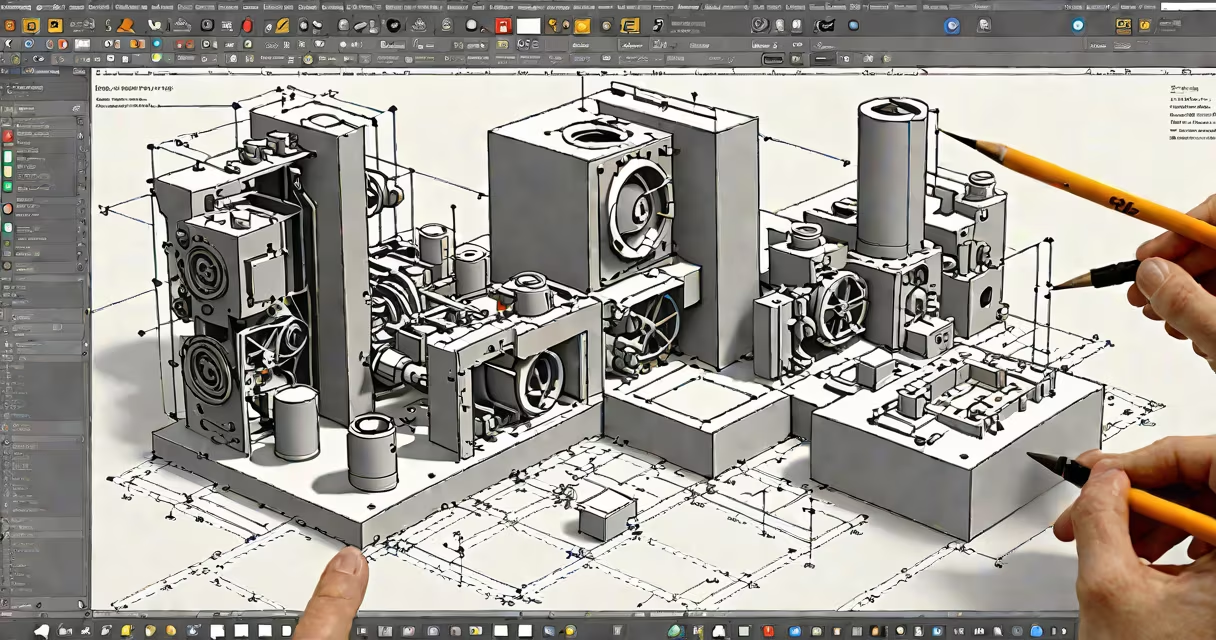
A free 3D drawing program is software that enables users to create, modify, and render three-dimensional models at no cost. These tools support modeling, texturing, animation, and simulation, often matching commercial alternatives in core functionality. Blender is the most widely used free 3D drawing program, offering full pipeline capabilities for design, visual effects, and game development.
Free 3D drawing programs operate through a graphical user interface (GUI) where users manipulate virtual objects using tools for extrusion, scaling, rotation, and Boolean operations. Underlying geometry is typically based on polygon meshes, NURBS surfaces, or subdivision surfaces. Users can apply materials, assign lighting, and export models in standard formats like OBJ, FBX, or STL for 3D printing or integration into other software.
These programs run on Windows, macOS, and Linux. They require a modern CPU, GPU with OpenGL support, and at least 4GB of RAM. Most are distributed under open-source licenses such as the GNU General Public License (GPL), allowing redistribution and modification. The absence of licensing fees makes them accessible for students, hobbyists, and small studios with limited budgets.
When you draw a 3D model, the software tracks vertex coordinates in three-dimensional space. You move points, edges, and faces using mouse input or keyboard shortcuts. Tools like loop cut, bevel, and mirror allow precise shaping. Real-time viewport rendering updates changes instantly, enabling iterative refinement.
Behind the scenes, the program uses mathematical algorithms to calculate surface normals, shading, and collision detection. For example, when you apply a texture, the software maps UV coordinates across the mesh's surface. When you animate, keyframes define position, rotation, and scale at specific time intervals, with interpolation filling in between.
Exporting a model generates a file containing vertex data, face indices, material assignments, and sometimes animation sequences. This file can be imported into game engines like Unity or Unreal Engine, or sent to a 3D printer via slicing software. The entire workflow-from concept sketch to physical output-is contained within the program.
Different free 3D drawing programs emphasize distinct workflows. Here's a comparison of major options:
| Program | Best For | Key Features | Platform |
|---|---|---|---|
| Blender | Full production pipeline | Modeling, sculpting, rigging, animation, compositing, physics simulation | Windows, macOS, Linux |
| FreeCAD | Parametric CAD design | Part design, assembly modeling, constraint-based editing | Windows, macOS, Linux |
| Tinkercad | Beginner-friendly 3D printing | Simple shapes, drag-and-drop interface, browser-based | Web browser (no install) |
| SketchUp Free | Architectural visualization | Easy-to-use interface, large component library, cloud sync | Web browser |
Blender excels in animation and visual effects. Its node-based shader editor supports complex material creation. FreeCAD focuses on engineering precision, allowing users to define dimensions and tolerances. Tinkercad simplifies entry with pre-built shapes and automatic alignment. SketchUp Free offers quick modeling for interior design and architecture.
Many assume free 3D drawing programs lack power compared to paid tools like Autodesk Maya or SolidWorks. This is incorrect. Blender, for instance, powers films such as *Spider-Man: Into the Spider-Verse* and *Sintel*. It includes advanced features like changing paint, fluid simulations, and procedural textures.
Another misconception is that these programs are only for artists. Engineers use FreeCAD for mechanical part design. Architects use SketchUp Free for client presentations. Game developers use Blender for asset creation. The software serves diverse fields beyond entertainment.
A lesser-known fact: many free 3D drawing programs support scripting. Blender uses Python for automation. You can write scripts to batch-export models, generate terrain, or simulate crowd movement. This capability extends the tool's reach far beyond manual modeling.
To illustrate how a free 3D drawing program works, consider designing a gear for a small robot. Start with FreeCAD. Create a new Part Design project. Draw a circle on the XY plane. Use the Pocket tool to hollow out the center. Add a circular pattern of teeth using the Range feature. Set tooth height to 3mm and pitch to 6mm.
After defining the gear profile, use the Extrude tool to give it thickness-say, 10mm. Apply a fillet to round the edges. Export the model as an STL file. Open it in a slicer like Cura. Set layer height to 0.2mm, infill to 20%, and print speed to 50mm/s. Load the G-code onto a desktop 3D printer.
The finished gear fits perfectly on the robot's motor shaft. No cost was incurred beyond electricity and filament. The entire process-from design to physical output-was completed using only free 3D drawing software.
I built a similar gear last year for a robotics competition. I used FreeCAD because it allowed me to adjust dimensions precisely and re-run the design in seconds. The result was a functional part that passed stress tests under load.
These programs are used in education, prototyping, indie game development, and personal projects. A high school student might use Tinkercad to design a custom phone stand. A freelance designer could use Blender to create assets for a mobile app. An engineer might use FreeCAD to draft a bracket for a solar panel mount.
They're ideal when budget constraints prevent purchasing commercial software. Many universities license Blender for classrooms. Nonprofits use it to produce educational animations. Independent creators rely on it to publish content on YouTube or Steam.
For professionals, free 3D drawing programs reduce dependency on proprietary tools. Teams can collaborate using shared files without licensing fees. Open standards ensure long-term access to designs even if a company discontinues support.
A free 3d drawing program is not a compromise-it's a capable alternative to paid software. With thousands of tutorials, community forums, and downloadable assets, users gain access to a mature system. The barrier to entry is low, but the potential output is high.