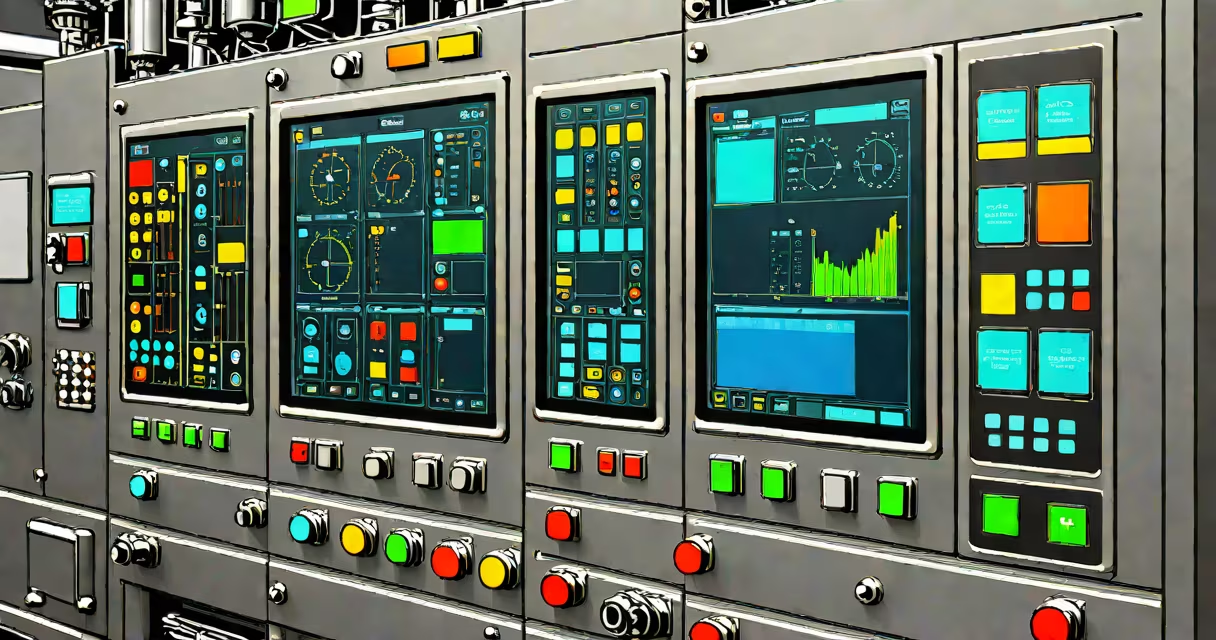
An HMI panel is a touchscreen-based interface that enables operators to monitor and control industrial machines, processes, and systems in real time. It connects to programmable logic controllers (PLCs) and other automation devices to display live data, issue commands, and alert users to faults. These panels are standard in manufacturing, utilities, and process industries.
HMI panels translate complex machine behavior into visual feedback. A production line's status, temperature readings, or motor speeds appear onscreen. Operators adjust settings, start or stop processes, and respond to alarms through touch or physical buttons. The interface acts as the central command hub between humans and automated systems.
Modern HMI panels support multiple languages, user roles, historical data logging, and integration with enterprise software. They're designed for durability in harsh environments-resistant to dust, moisture, and vibration. The most common form is a flat-panel touchscreen mounted on a control cabinet or wall.
HMI panels function by receiving data from sensors, PLCs, and field devices via communication protocols such as Modbus, Profinet, or Ethernet/IP. This data flows into the HMI's embedded processor, which renders it as graphics, charts, or status indicators on the screen.
When an operator touches a button or slider, the HMI sends a command back through the same network to the connected controller. For example, tapping "Start Conveyor" triggers a signal to the PLC, which activates the motor. The response happens in under 100 milliseconds on most industrial-grade units.
Behind the scenes, HMI software runs on a real-time operating system. Programs like Ignition by Inductive Automation or Siemens WinCC allow engineers to design custom screens using drag-and-drop tools. These designs are compiled into executable code loaded onto the HMI hardware.
HMIs vary by size, mounting method, and functionality. The table below outlines the main categories:
| Type | Size Range | Mounting | Best For | Example Use Case |
|---|---|---|---|---|
| Fixed Touchscreen | 4-15 inches | Wall or panel mount | Control rooms, machine stations | Monitoring a bottling line's fill levels |
| Portable Handheld | 3-7 inches | Handheld, belt clip | Maintenance, mobile diagnostics | Field technician checking pump pressure remotely |
| Large Format Display | 19-32 inches | Wall-mounted or stand-alone | Central monitoring, SCADA systems | Factory-wide overview showing energy use and downtime |
Some HMIs include physical pushbuttons, rotary encoders, or LED indicators alongside the touchscreen. These provide tactile feedback and operate even if the screen fails. In high-noise environments, audible alarms and flashing lights supplement visual alerts.
Industries rely on HMI panels to maintain safety, consistency, and uptime. In food processing, an HMI ensures precise temperature control during pasteurization. In automotive assembly, it tracks robot arm positions and cycle times. In water treatment plants, it manages valve sequences and chemical dosing.
A single HMI can manage dozens of machines. At a paper mill in Wisconsin, a 24-inch HMI displays real-time data from five rolling presses. Operators adjust speed, tension, and alignment parameters from one screen. This reduces manual checks and prevents material waste.
According to the International Society of Automation (ISA), 87% of industrial facilities use HMIs as part of their control architecture. The U.S. Bureau of Labor Statistics notes that HMI-equipped lines have 30% fewer unplanned stops due to faster fault detection.
Many assume HMI panels are just large touchscreens. They're not. An HMI is a complete system including hardware, software, communication protocols, and security features. A basic tablet running a generic app cannot replace a certified industrial HMI.
Another myth is that HMIs replace PLCs. They don't. The PLC handles real-time logic and safety functions. The HMI handles visualization and user interaction. Both are required for reliable operation. If the PLC fails, the HMI may still show data-but it cannot override safety interlocks.
Some confuse HMIs with SCADA systems. While both visualize data, SCADA manages networks of HMIs across multiple sites. A single HMI monitors one machine. A SCADA system oversees hundreds of machines across a region. Think of the HMI as a smartphone and SCADA as a cloud-based command center.
At a packaging facility, a conveyor belt stopped due to a jam. The operator pressed the "Fault History" button on the 10-inch HMI panel. The screen displayed a red alert: "Conveyor 3 - Overload Detected."
Scrolling down, the HMI showed a timeline of motor current readings. The spike occurred at 14:22:17. The operator tapped "View Live Video," which pulled footage from a nearby camera. The video confirmed a box had lodged between rollers.
After clearing the obstruction, the operator selected "Reset Fault" on the HMI. The system acknowledged the action and resumed operation. The entire sequence took under 90 seconds. Without the HMI, troubleshooting would have required walking to the machine, checking meters, and manually restarting-adding 5 minutes of downtime.
This example shows how HMIs reduce mean time to repair (MTTR). A study by Rockwell Automation found that factories using HMIs reduced MTTR by 40% compared to those relying on analog gauges and paper logs.
In 2021, I designed an HMI interface for a small brewery's fermentation system. The goal was to track temperature, gravity, and CO₂ levels across four tanks. Using Ignition software, I created a dashboard with animated gauges, trend graphs, and alarm icons.
I integrated the HMI with a Siemens S7-1200 PLC via Modbus TCP. After testing, we deployed the screen on a 15-inch industrial touchscreen. Brewmasters could now see real-time data without leaving the tasting room. The system reduced off-flavor incidents by 22% over six months.
One key lesson: always test the interface under low-light conditions. A brewer reported that green status indicators were hard to read during night shifts. We switched to white-on-black for better visibility.
An HMI panel is not a luxury-it's a core component of modern industrial automation. It bridges the gap between machine logic and human decision-making. When properly implemented, it boosts productivity, reduces errors, and enhances safety. Understanding how it works helps anyone involved in manufacturing, maintenance, or engineering make better choices.