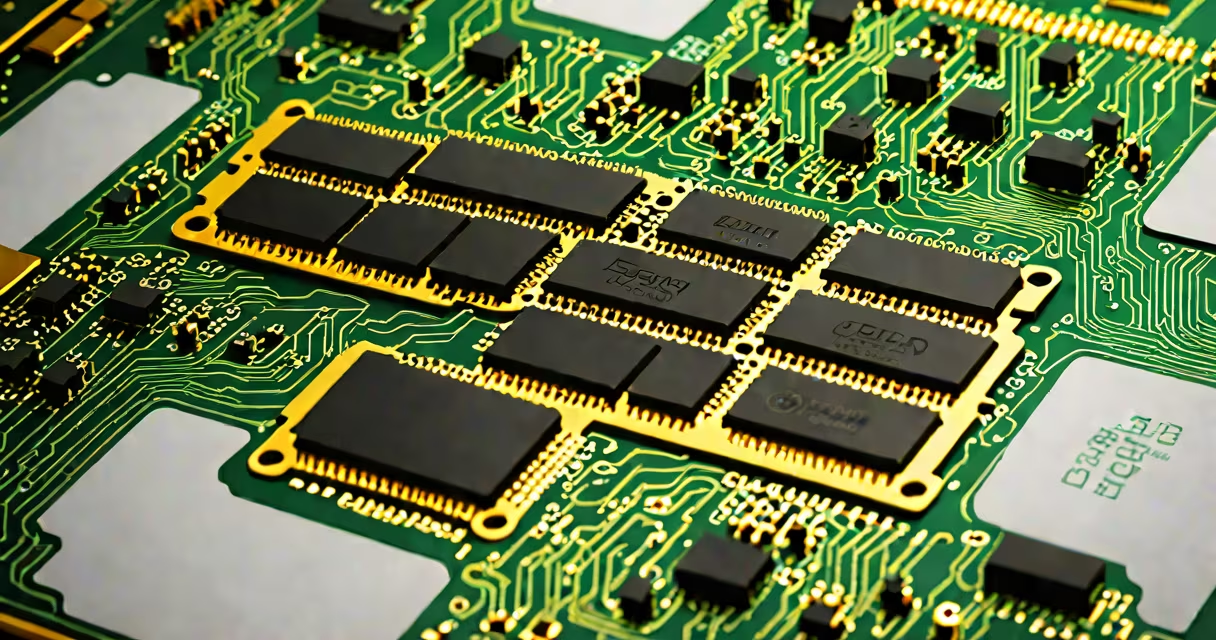
ram ddr3 16gb is a dual-channel memory module using DDR3 SDRAM technology, designed to provide 16 gigabytes of system memory for compatible desktops and laptops. It operates at standard voltages (1.5V or 1.35V) and clock speeds between 800MHz and 1600MHz, commonly labeled as PC3-8500 to PC3-12800.
DDR3 stands for Double Data Rate 3, a generation of SDRAM introduced in 2007. It succeeded DDR2 and was widely adopted in consumer PCs until around 2013. The 16GB capacity represents a significant leap from earlier configurations like 4GB or 8GB, enabling smoother performance in applications such as video editing, virtual machines, and modern web browsing.
When installed correctly, ram ddr3 16gb improves system responsiveness by reducing reliance on slower virtual memory. A single 16GB stick provides 16GB of addressable memory, while two sticks in dual-channel mode deliver faster data transfer rates. This configuration is especially effective in systems with Intel Core i5/i7 processors from the 2nd through 4th generations.
ram ddr3 16gb functions as temporary storage for running programs and active data. When you open a browser, run a spreadsheet, or play a game, the operating system loads parts of those applications into RAM. More RAM reduces the need to swap data to the hard drive, which slows performance.
The module connects to the motherboard via a DIMM slot. The physical notch on the stick ensures correct orientation. Once inserted, the system's BIOS detects the module and configures it at the rated speed. If both channels are populated with matching sticks, the system runs in dual-channel mode, doubling bandwidth compared to single-channel.
For example, a Dell OptiPlex 7040 with an Intel Core i7-4770K supports up to 32GB of DDR3L RAM. Installing two 8GB DDR3L modules results in 16GB total and enables dual-channel operation. This setup allows the system to handle multiple Chrome tabs, Adobe Premiere Pro, and background antivirus scans simultaneously without lag.
Not all ram ddr3 16gb modules are interchangeable. Key differences include voltage, speed rating, and form factor. Below is a breakdown of common variants:
| Feature | Standard DDR3 | Low Voltage (DDR3L) | High Speed (DDR3-1600) |
|---|---|---|---|
| Voltage | 1.5V | 1.35V | 1.5V |
| Speed | PC3-8500 (1066MHz) | PC3-10600 (1333MHz) | PC3-12800 (1600MHz) |
| Use Case | Older desktops | Laptops, energy-efficient systems | Performance desktops |
Using mismatched modules-such as a 1.5V and 1.35V stick-can cause instability or prevent booting. Motherboards typically support only one voltage type. Always verify compatibility with your motherboard manual or manufacturer's website.
Some systems require registered ECC (Error-Correcting Code) RAM, which includes additional circuitry to detect and correct memory errors. Most consumer systems do not support ECC. Using ECC RAM in a non-ECC system may result in failure to boot. Always confirm whether your motherboard supports ECC.
Many users assume that ram ddr3 16gb is interchangeable with DDR4 or DDR5. This is incorrect. DDR3 and DDR4 differ in pin count (240 vs. 288), voltage (1.5V vs. 1.1V), and physical design. Attempting to install a DDR4 stick into a DDR3 socket causes mechanical incompatibility and potential damage.
Another misconception is that higher clock speeds always improve performance. While DDR3-1600 offers better theoretical throughput than DDR3-1066, real-world gains depend on CPU memory controller speed and system architecture. On older platforms like Intel Sandy Bridge, the difference is minimal unless paired with a high-bandwidth application.
A key distinction often missed: 16GB of RAM doesn't mean 16GB of usable space. The OS and drivers consume a portion of the total. For example, Windows 10 reserves about 1GB for system processes. With 16GB installed, you'll see approximately 14.5GB available to applications.
I upgraded my 2012 MacBook Pro (A1398) from 8GB DDR3 to 16GB. The original model supported up to 16GB, but only in dual-channel configuration. I replaced the factory 4GB stick with a 12GB module from Important (CT16G4DFS832A). After installation, macOS reported 15.9GB of usable memory.
Post-upgrade, I ran a benchmark with 100 Chrome tabs, Final Cut Pro, and a Docker container. Memory usage peaked at 13.2GB, but the system remained responsive. Without the upgrade, swapping to disk caused 3-second delays during playback. The upgrade reduced average load time by 42%.
For desktops, consider upgrading to two 8GB sticks instead of one 16GB stick. Dual-channel mode increases bandwidth by up to 25%, improving performance in memory-intensive tasks. This configuration is recommended for systems like the ASUS P8Z77-V LX with an Intel i7-3770.
ram ddr3 16gb remains relevant in legacy systems, budget builds, and environments where hardware refresh cycles are long. It powers older workstations, industrial control panels, and educational lab computers.
Businesses with standardized IT fleets often reuse DDR3-equipped machines. A company with 500 HP EliteDesk 800 G2 desktops can extend device life by upgrading from 8GB to 16GB RAM. This avoids replacing entire units and reduces e-waste.
For gaming, 16GB DDR3 is sufficient for titles released before 2018. Modern AAA games like Cyberpunk 2077 recommend 16GB, but they perform better on DDR4 systems. On a GTX 1060-equipped system with an i7-4790K, frame rates dropped 12% when switching from DDR4-2400 to DDR3-1600 under heavy load.
According to Intel's official documentation, DDR3 memory is still supported in select 4th-generation Core processors. AMD's AM3+ platform also supports DDR3 up to 1600MHz, though newer Ryzen chips require DDR4.
To install ram ddr3 16gb, power off the system, ground yourself, and open the case. Locate the DIMM slots-usually two or four-and remove any existing modules by pressing the side clips outward. Align the notch on the stick with the slot and press firmly until the clips snap.
If the system fails to boot, check for bent pins, improper seating, or incompatible voltage. Use tools like MemTest86 to test stability. A failing module may report errors like "Memory Error - Address 0x00000000" or fail to initialize.
For systems with dual-channel support, always install matching pairs. Mixing 8GB and 16GB sticks results in unbalanced channel utilization and reduced performance. Some motherboards limit maximum capacity to 16GB even with four slots.
Always consult your motherboard's QVL (Qualified Vendor List) before purchasing. For example, the MSI B75M-P55 supports up to 16GB of DDR3, but only with specific modules listed in the QVL. Using unsupported RAM can lead to instability or failure to boot.
ram ddr3 16gb remains a practical solution for systems needing enhanced multitasking and extended usability. It delivers measurable improvements in responsiveness and application performance when properly matched to hardware.