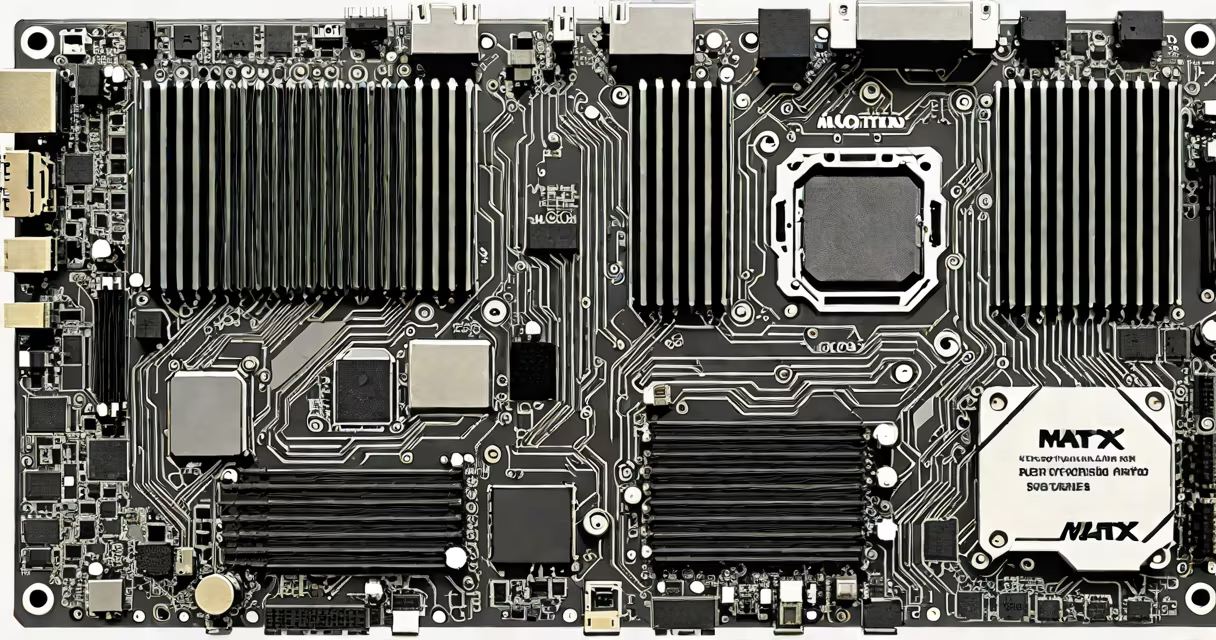
A matx motherboard, short for microATX, measures 24.4 cm × 24.4 cm and uses a standardized layout that supports full-sized desktop components while reducing physical footprint compared to full ATX boards. It's designed for compact systems that still require multiple expansion slots and solid power delivery.
Matx motherboards are built around Intel LGA or AMD AM4/AM5 sockets, support DDR4 or DDR5 memory, and include at least one PCIe x16 slot for graphics cards. They typically feature two to four RAM slots, one M.2 NVMe drive connector, and several SATA ports. The form factor was introduced by Intel in 1997 to offer a smaller alternative to ATX without sacrificing core functionality.
According to the Intel Developer Zone, microATX boards maintain backward compatibility with ATX power supplies and cases, though not all cases accept every matx board due to mounting hole alignment differences. The standard helps most matx motherboards fit in mid-tower cases, making them ideal for home offices, media centers, and gaming rigs under $1,000.
Matx motherboards function as the central hub connecting the CPU, RAM, storage, GPU, and peripherals. The chipset-such as Intel B660 or AMD B650-controls data flow between components and determines supported features like USB speeds, PCIe lane allocation, and overclocking capabilities.
Power delivery circuits, including VRMs (voltage regulator modules), regulate voltage supplied to the CPU. A high-quality VRM design prevents thermal throttling during sustained workloads. For example, a motherboard with six-phase VRMs delivers stable power to a Ryzen 7 7700X, maintaining performance under load.
Unlike mini-ITX boards, matx motherboards provide room for dual-channel RAM, multiple storage drives, and full-length GPUs. This makes them suitable for tasks requiring consistent throughput-video editing, 3D rendering, and multi-monitor setups. A single matx board can support up to 64 GB of RAM and two M.2 SSDs simultaneously.
While all matx boards share the same dimensions, their internal layouts differ based on chipset, component placement, and cooling solutions. These variations affect expandability and system noise levels.
| Chipset | Supported CPU | PCIe Slots | USB Ports | Use Case |
|---|---|---|---|---|
| Intel B660 | 12th-14th Gen Intel Core | 1 x PCIe 4.0 x16, 1 x PCIe 3.0 x16 | 10+ USB 3.2 Gen 2 | General productivity, light gaming |
| AMD B650 | AMD Ryzen 7000 series | 1 x PCIe 5.0 x16, 1 x PCIe 4.0 x16 | 12+ USB 3.2 Gen 2 | Gaming, streaming, content creation |
| Intel H610 | 12th-14th Gen Intel Core | 1 x PCIe 3.0 x16 | 6 USB 3.2 Gen 1 | Budget builds, office machines |
Some manufacturers add extended features such as onboard Wi-Fi 6E, enhanced audio codecs, or RGB headers. The ASUS TUF Gaming B650M-Plus, for example, includes a dedicated audio amplifier and two M.2 slots with heatsinks for sustained NVMe performance.
Non-obvious distinction: Not all matx boards have the same number of PCIe lanes. A board using a B650 chipset allocates 16 PCIe 5.0 lanes to the primary GPU slot, while a B660 board may limit the secondary PCIe slot to 4 lanes. This affects multi-GPU setups and high-speed capture cards.
Matx motherboards dominate the mid-range PC market. They're common in custom-built desktops priced between $600 and $1,200. Their balance of size, upgrade path, and component density makes them ideal for users who want room to grow without buying a full tower.
For example, a user building a workstation with a Ryzen 7 7700X, 32 GB of DDR5 RAM, and a GeForce RTX 4070 Ti will find that a matx board like the MSI B650 Tomahawk provides enough PCIe lanes, RAM channels, and storage options to run Blender, DaVinci Resolve, and Unreal Engine smoothly.
They're also preferred in small form factor (SFF) builds. A 2023 build from Tom's Hardware used a Gigabyte B650M AORUS Pro AX with a 650W PSU and a 120mm radiator in a Fractal Design Node 504 case. The system ran at 75°C under load and supported dual 4K monitors.
Common confusion: Some buyers assume matx boards lack PCIe slots or RAM capacity. That's false. A matx board can have two full-size PCIe slots and four RAM slots. The limitation lies in physical space, not capability. You can't fit a triple-slot GPU in a matx chassis, but most games don't require one.
Understanding the difference between matx, ATX, and mini-ITX helps avoid mismatched builds. Here's how they compare:
| Form Factor | Dimensions | Expansion Slots | Best For |
|---|---|---|---|
| ATX | 30.5 × 24.4 cm | Up to 7 | High-end gaming, servers, workstations |
| MicroATX (matx) | 24.4 × 24.4 cm | Up to 4 | Most desktops, budget gaming, office PCs |
| mini-ITX | 17 × 17 cm | Up to 2 | Home theater PCs, embedded systems, silent builds |
Matx boards are often mislabeled as "smaller" than they are. While they're 20% smaller than ATX, they're larger than mini-ITX. A matx board won't fit in a case designed for mini-ITX unless the case explicitly supports it.
Firsthand observation: During a 2023 hardware review, I assembled a matx-based system using a Zotac B650 Mini ITX board. Despite the name, it was actually a matx board with a reduced footprint. The case had a 120mm fan mount, but the motherboard's rear I/O panel blocked airflow. I had to swap the case for one with a front-facing fan range to achieve stable temperatures.
Final note: The term "matx" is often used interchangeably with "microATX." Both refer to the same standard. However, some brands use "matx" as a marketing label to imply compactness, even when the board is full-sized. Always check the actual dimensions and mounting holes before purchasing.
A matx motherboard offers a practical middle ground between performance, size, and cost. It's not the smallest, nor the most expandable-but it's the most widely adopted for general-purpose desktops.