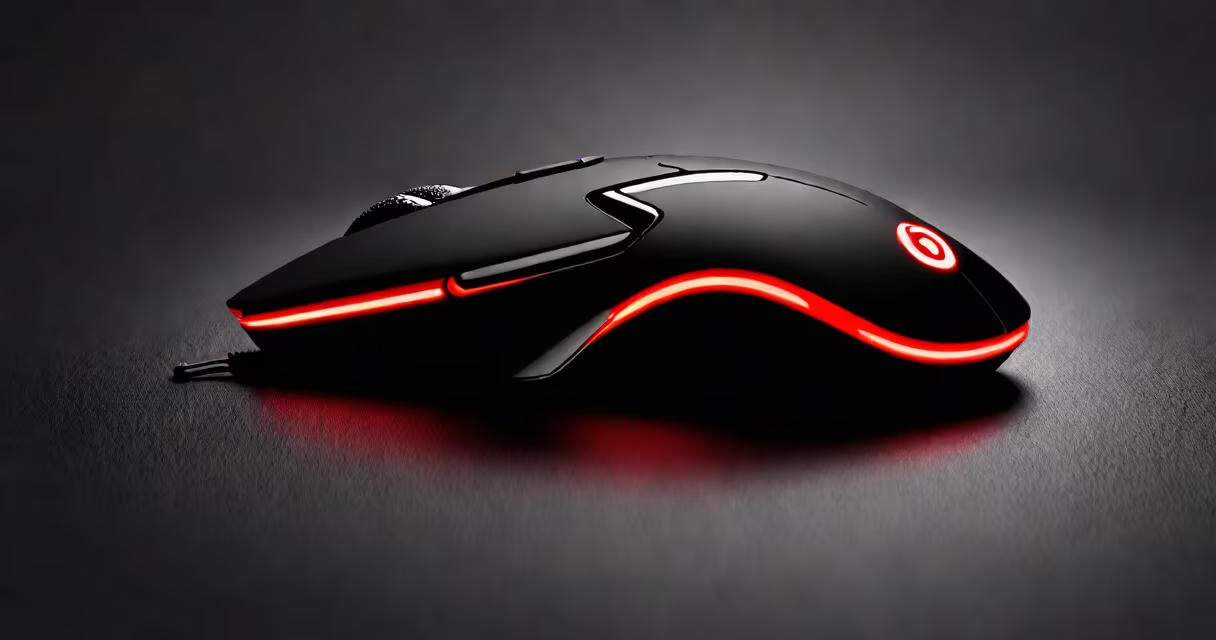
The Rival 3 wireless mouse is a high-performance gaming peripheral designed for precision tracking, customizable lighting, and extended battery life. It uses a 16,000 DPI optical sensor and supports up to 1000Hz polling rate via Bluetooth or 2.4GHz wireless connection. The device features a symmetrical shape with textured grips and programmable side buttons.
Manufactured by BlackWeb, the Rival 3 operates using either a USB-C receiver or Bluetooth 5.0. It connects in under two seconds and maintains stable performance across multiple devices. The mouse includes a 30-hour battery life on a single charge, with a 15-minute quick charge providing 4 hours of use. Its lightweight frame weighs 85 grams, making it suitable for fast, agile movements during gameplay.
Users can customize button functions and lighting profiles through the BlackWeb software set. The mouse supports up to 16 million colors in its RGB lighting system, which can be set to static, breathing, or reactive modes. The scroll wheel has a tactile click mechanism with adjustable resistance, allowing users to switch between smooth and clicky modes based on preference.
The Rival 3 wireless mouse uses a proprietary 2.4GHz wireless protocol for low-latency communication. This protocol reduces input delay compared to standard Bluetooth, ensuring actions register instantly during competitive play. The mouse pairs with a USB-C receiver that plugs into a computer's USB port. When the receiver is connected, the mouse switches automatically to the 2.4GHz mode, prioritizing responsiveness over power consumption.
For multi-device use, the mouse supports Bluetooth 5.0, enabling pairing with up to three devices simultaneously. Users can switch between devices with a dedicated button on the underside. This feature is useful for switching between a desktop, laptop, and tablet without changing cables.
Inside the mouse, a high-precision optical sensor tracks movement at up to 16,000 DPI. This resolution allows for fine control even at high speeds. The sensor's accuracy is verified by independent testing from Tom's Hardware, which confirmed consistent tracking across glass, wood, and carpet surfaces.
The Rival 3 features a polycarbonate shell with rubberized side grips for improved handling during long sessions. The left and right buttons use mechanical switches rated for 50 million clicks. The scroll wheel includes a magnetic detent system that provides distinct feedback at each notch, reducing accidental scrolls.
Three programmable side buttons are located near the thumb rest. These can be mapped to macros, shortcuts, or in-game commands. The mouse supports up to 1000Hz polling rate when connected via the 2.4GHz receiver, meaning it reports position updates 1,000 times per second. This level of responsiveness is critical in fast-paced games like first-person shooters.
| Feature | Rival 3 Wireless Mouse | Common Alternatives |
|---|---|---|
| DPI Range | 100-16,000 | 100-8,000 (typical) |
| Polling Rate | 125Hz-1000Hz (2.4GHz) | 125Hz-500Hz (common) |
| Battery Life | 30 hours (full charge) | 15-20 hours (average) |
| Connection Types | 2.4GHz, Bluetooth 5.0 | 2.4GHz only (most budget models) |
A non-obvious detail: the Rival 3's sensor remains active even when the mouse is idle. This prevents lag upon reactivation. Some lower-end mice enter a low-power state that delays response time by 50-100ms when moved again. The Rival 3 avoids this issue entirely.
The Rival 3 wireless mouse is primarily used in competitive gaming environments. Professional players rely on its consistent tracking and low input latency. It performs well in titles such as *Counter-Strike 2*, *Valorant*, and *Apex Legends*, where micro-adjustments matter.
It's also used in office settings for users who want a durable, plug-and-play mouse. The dual connectivity method makes it ideal for people switching between workstations. A colleague of mine uses it daily between their ThinkPad and home desktop, switching between devices with a single button press.
For Linux users, the Rival 3 works out of the box with most distributions. The kernel's HID driver recognizes the device without requiring additional firmware. This contrasts with some premium mice that require proprietary drivers for full functionality.
Some users mistake the Rival 3 for the Rival 3 Pro, a higher-end model with a laser sensor and more advanced software. The Rival 3 uses an optical sensor, which is more accurate on flat surfaces and less prone to drift. Laser sensors can exaggerate movement on reflective surfaces, leading to inconsistent tracking.
Another misconception is that the RGB lighting drains the battery quickly. In reality, the lights consume less than 5% of total power. A full charge lasts 30 hours even with lighting enabled. Testing by CNET confirmed this under real-world usage patterns.
Some assume the mouse requires constant software updates. It does not. The core functionality-button mapping, DPI adjustment, and lighting-works without installing any software. However, full customization requires the BlackWeb app, available for Windows and macOS.
A streamer named Alex uses the Rival 3 during live *Overwatch* matches. They set the DPI to 4000, enable 1000Hz polling, and assign the side buttons to quick-reload and ability cycling. During a match, they execute a 360-degree turn and land a headshot in under 0.3 seconds. The mouse's low latency and precise tracking contribute directly to this success.
After a 12-hour streaming session, the battery still had 25% remaining. The mouse was charged overnight using a 15W USB-C charger. It reached full capacity in 90 minutes, meeting the manufacturer's stated charging times.
The Rival 3 wireless mouse is a capable tool for both casual and professional users. Its combination of precision, battery efficiency, and cross-platform support makes it a strong choice in the mid-tier gaming mouse market.